
One hire. A whole front office.
Patti isn’t just about answering email. She keeps your calendar honest, your customer records current, and your follow-ups on time — all in one place.
📱 Approve however you want — no new app required
Approve from the app you already use — or just tap a link in an email. Every draft comes to you wherever you like: text message (SMS), Telegram, WhatsApp, the web app, or a one-tap email link that needs nothing installed at all. Reply “yes” to send it, type a change, or speak your edits out loud — Patti rewrites the draft on the spot.
- Text, Telegram, WhatsApp, web — or a one-tap link in an email
- Edit by typing or by voice
- Patti learns your tone from your edits over time
📬 A real team inbox — not seven solo bots
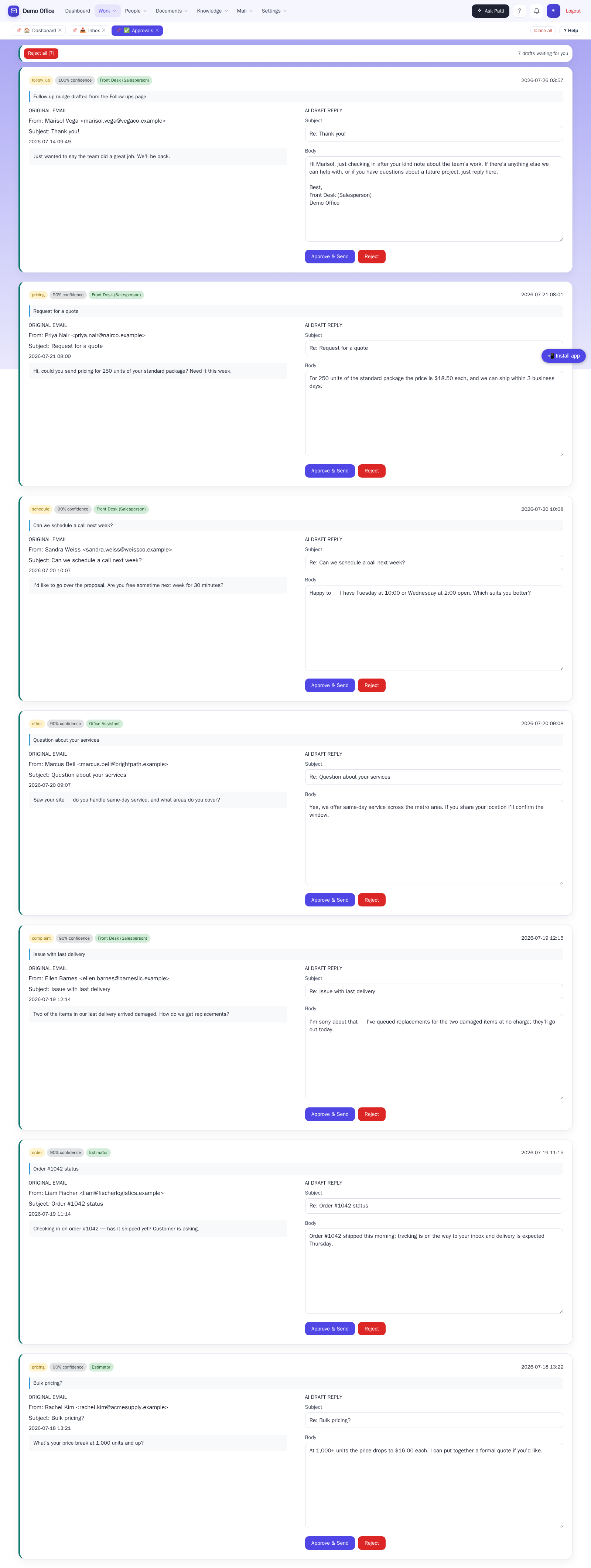
A shared inbox becomes an office, not a pile of separate bots. Your info@ is one place the whole team works from: claim an email so two people never reply to the same customer, reassign it when someone’s out, and let Patti file the incoming mail automatically.
- Claim and reassign, so nobody double-replies — with manager visibility
- Per-person routing, out-of-office, and quiet hours
- Automatic filing and full conversation threads at a glance
🗂️ Built-in customer records
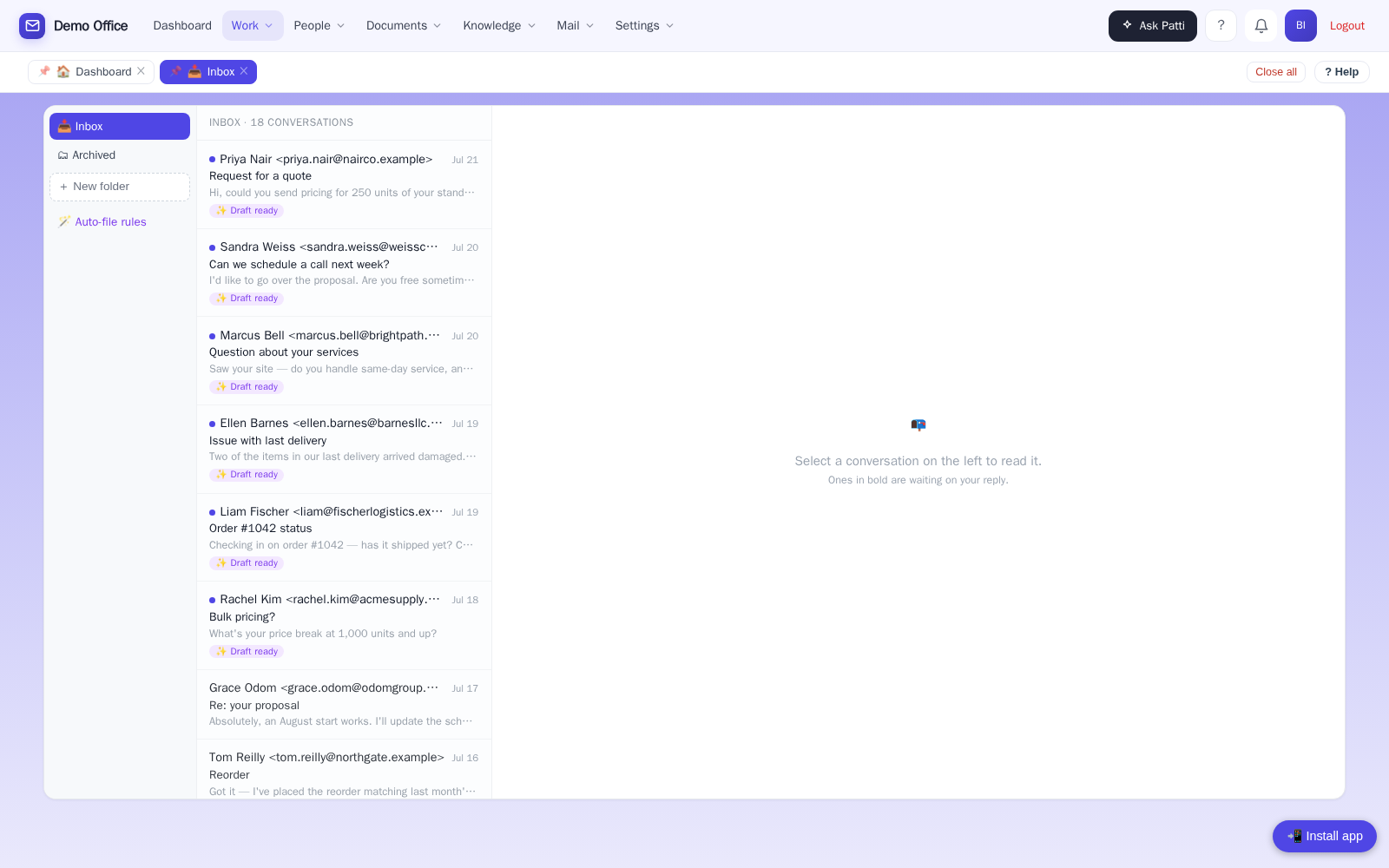
Every contact, every conversation, every note — kept for you. No separate system to buy, no double data entry.
- Contacts with notes and full activity history
- Reminders and a leads pipeline
- Campaigns to reach out on purpose, not just react
📅 Scheduling that closes the loop
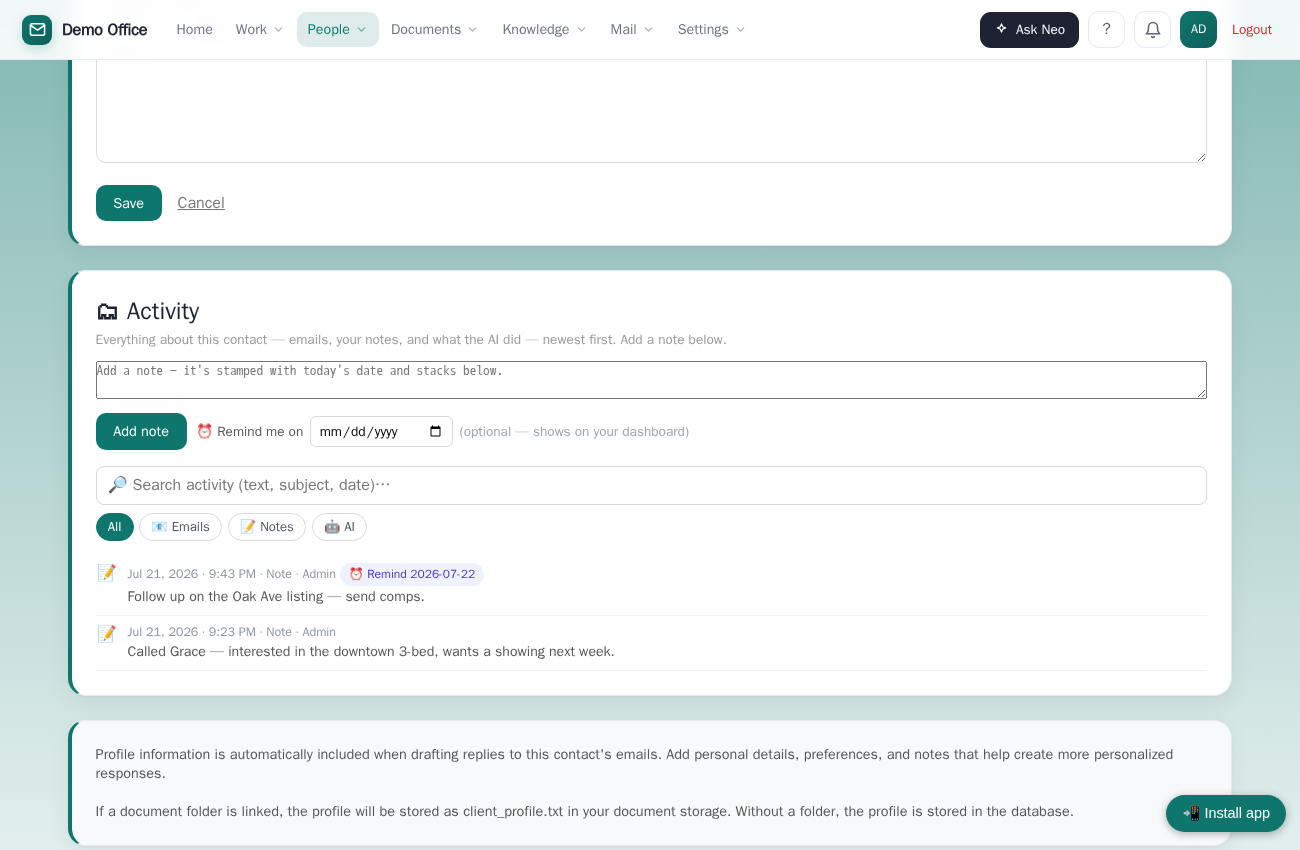
When someone wants to meet, Patti proposes real open times from your calendar — and books only when the client confirms. Reschedules get cleaned up too.
- Real availability, not a generic booking link
- Meetings land on your Google Calendar with a Meet link
- Reschedules and cancellations handled tidily
🗓️ The schedule everything else reads from
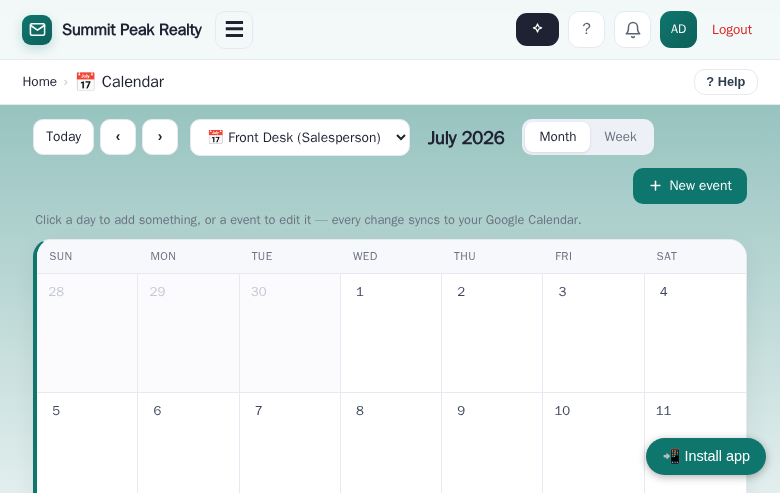
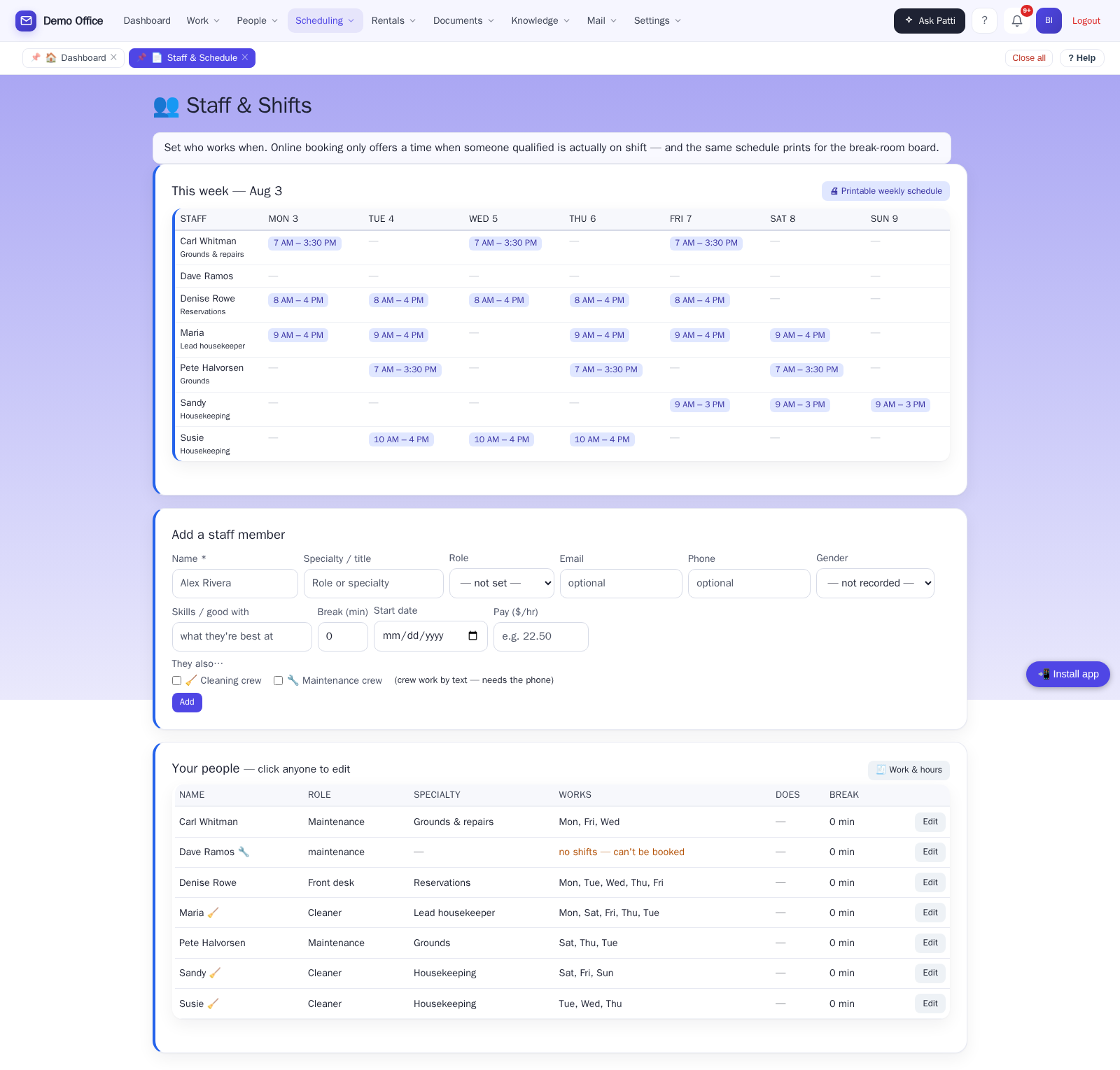
The schedule isn’t a spreadsheet on the fridge. It’s what the booking page, the cleaning board, and the morning texts all read from. Add a person once — name, phone, pay rate — and tick what they do: work calendar, cleaning crew, maintenance crew, answers email. Not just for rentals: spas, groomers, medical offices, any service business that runs on shifts.
- Online booking only offers times when somebody qualified is actually on shift
- The same week grid prints as a one-page sheet for the break-room board
- “Who’s in today” shows on the cleaning board, and assignment lists put today’s workers first — so nobody hands a job to somebody who’s off
- Change a name once (people get married) and it follows them everywhere — including jobs already assigned
📄 Document memory Professional
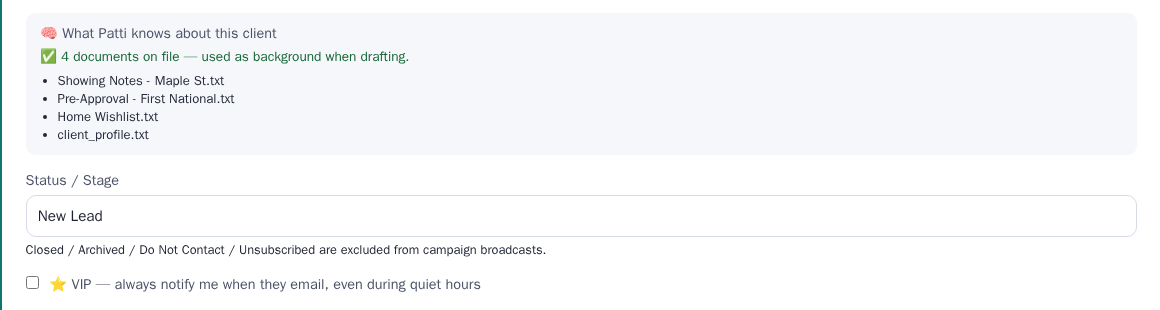
On Professional, Patti reads the client’s own files before she drafts — so the reply says “I remember you were looking at the 3-bed on Maple Street,” not “thanks for reaching out.” Point her at folders on your computer, a network drive, Google Drive, or Dropbox. Each client’s files stay walled off from every other client’s.
- Each client’s documents inform each reply — real history, not a generic answer
- “Ask your documents” — get answers straight from your own files
- Office tools included: split, analyze, and sort PDFs
📊 The weekly ROI report Professional
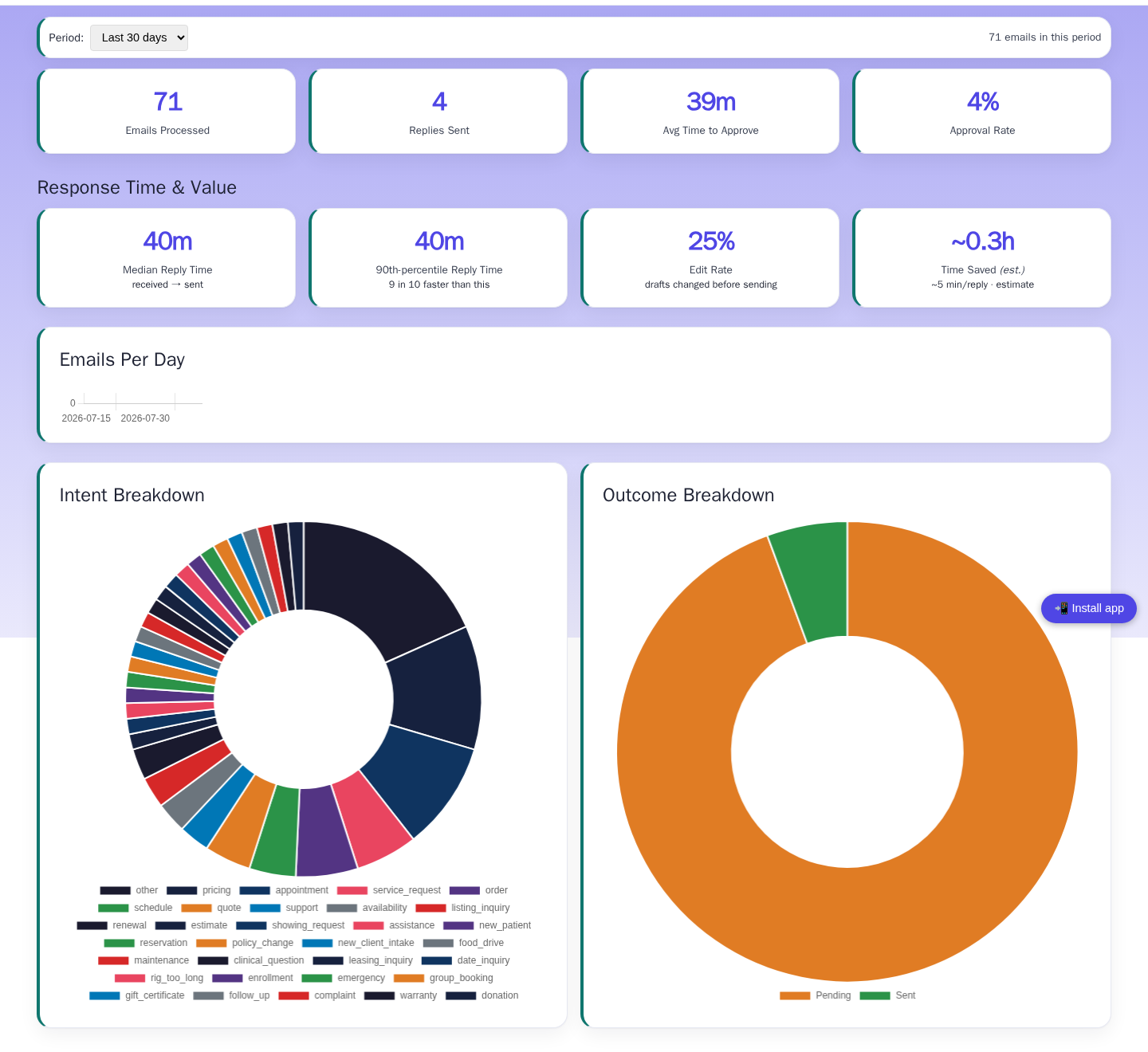
Proof it’s working, in your inbox every Monday. On Professional, an automatic weekly email shows how fast emails get answered now versus before, how often you’re editing Patti’s drafts (it drops as she learns your voice), and an estimate of the hours you got back — with the full analytics in the app to back it up.
- Reply time: hours before, minutes now — in plain numbers
- How often her drafts need edits, dropping week over week
- Hours saved, tallied for you — plus activity trends in the app
🔁 One email, everywhere it needs to go
Patti doesn’t just draft the reply — she routes the email to the right department at the same time. Your salesperson is out in the field when a contractor emails in an order: she approves the reply from her phone, and the order is already in the order department’s inbox. Nobody has to remember to forward anything.
- An order comes in — the rep approves the reply; the orders desk has it at the same moment
- A shipment went to the wrong place — the rep approves the response; the complaint department is already handling it
- A quote request — answered and forwarded to the right department, not just replied to
- Your rules, set once: each type of email knows where it goes, and each person picks their own notifications
☕ Stop going looking for it.
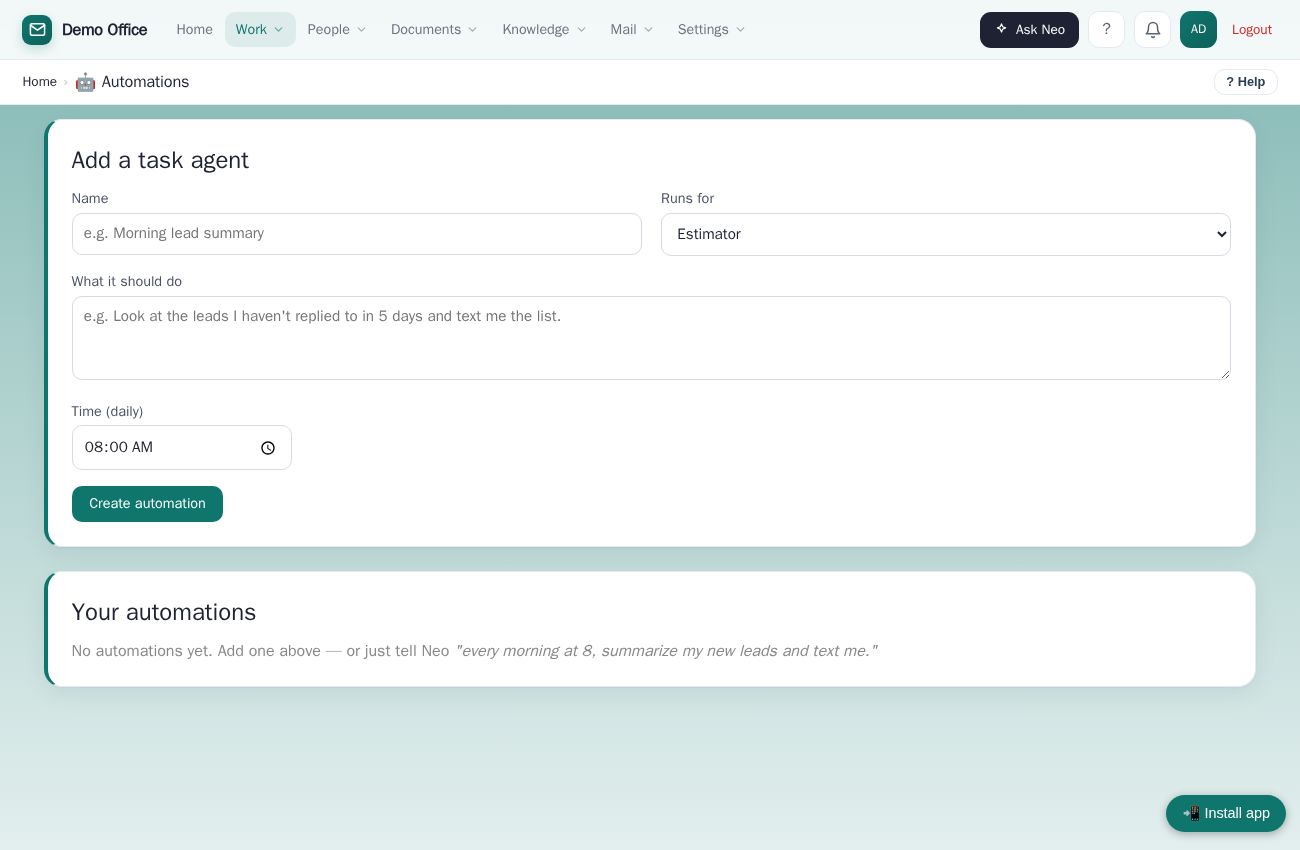
Patti sends you what you need to know, when you want it. Every morning at 7, today's appointments — or, at a front desk, who's arriving, who's leaving, and what still needs cleaning — by text, email or Telegram.
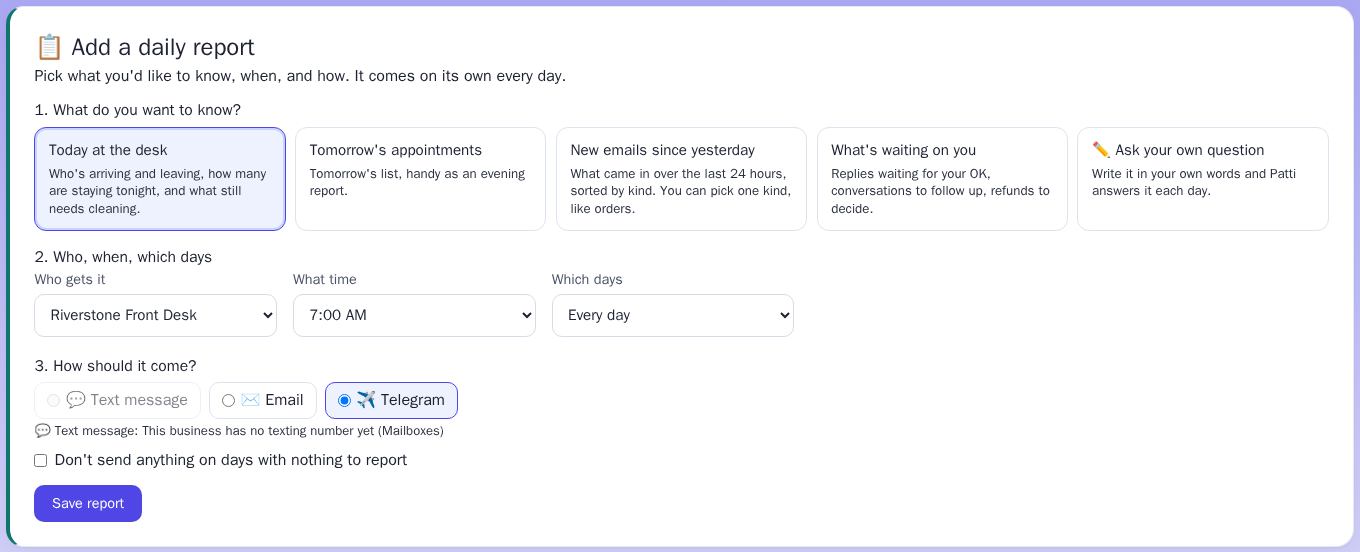
Pick it with a few taps
What you want to know, what time, text or email. That's the whole setup.
Just the overnight orders
Want to know just the orders that came in overnight? That's a report too.
Ask your own question
Write your own question and Patti answers it every morning.
Quiet days stay quiet
Nothing to report? Then she doesn't bother you.
💬 Out on a job? Text Patti “what's on today?” and she texts you back.
For businesses with a Patti texting number. You and your staff text it a question — today's appointments, the front desk and cleaning, repairs due out, pet vaccines, last night's emails — and get the answer as a short text. Reports by text use the same number; email and Telegram need nothing extra.
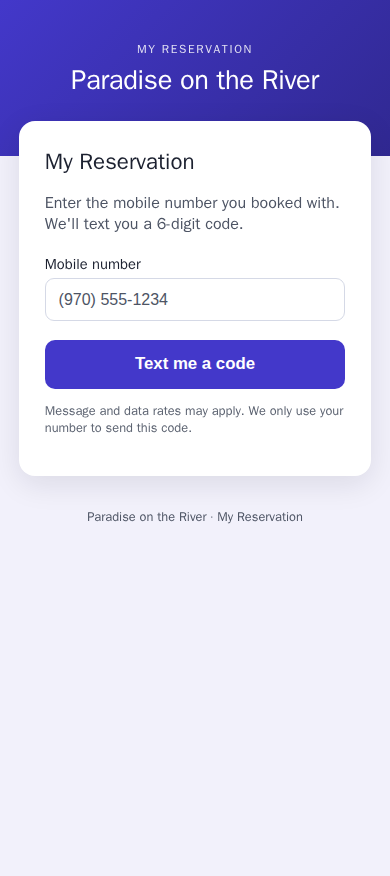
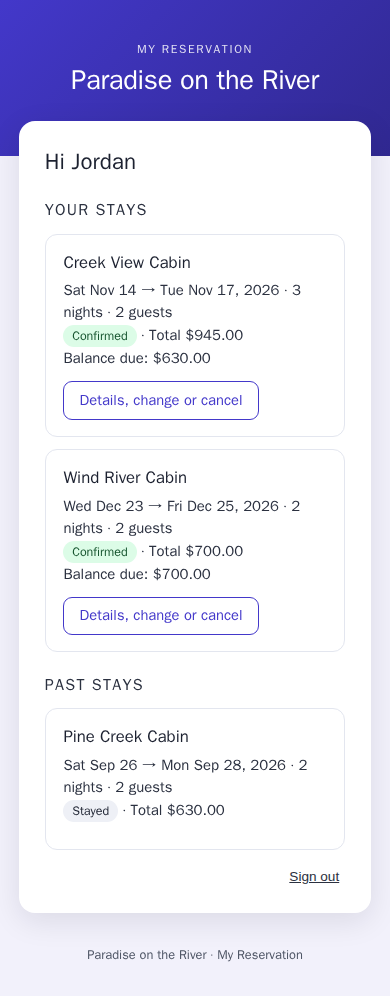
📱 Your customers can check their own booking.
They type their phone number, get a code, and it's right there. No password, no app. Fewer “what time was my appointment?” calls.
- We send them a code by text or email
- Rental guests can change their dates or cancel online, and see the new price first
- Refunds wait for you. Nothing goes back to a guest until you approve it
- Salon and groomer customers see their next appointment and can move it, inside your booking rules
See it for cabins and RV parks, salons and groomers.
🎬 Stuck on a screen? Open Help and watch a one-minute video of exactly that screen.
About 200 short how-to videos, built right into Patti — narrated, with captions. One click plays it right there.
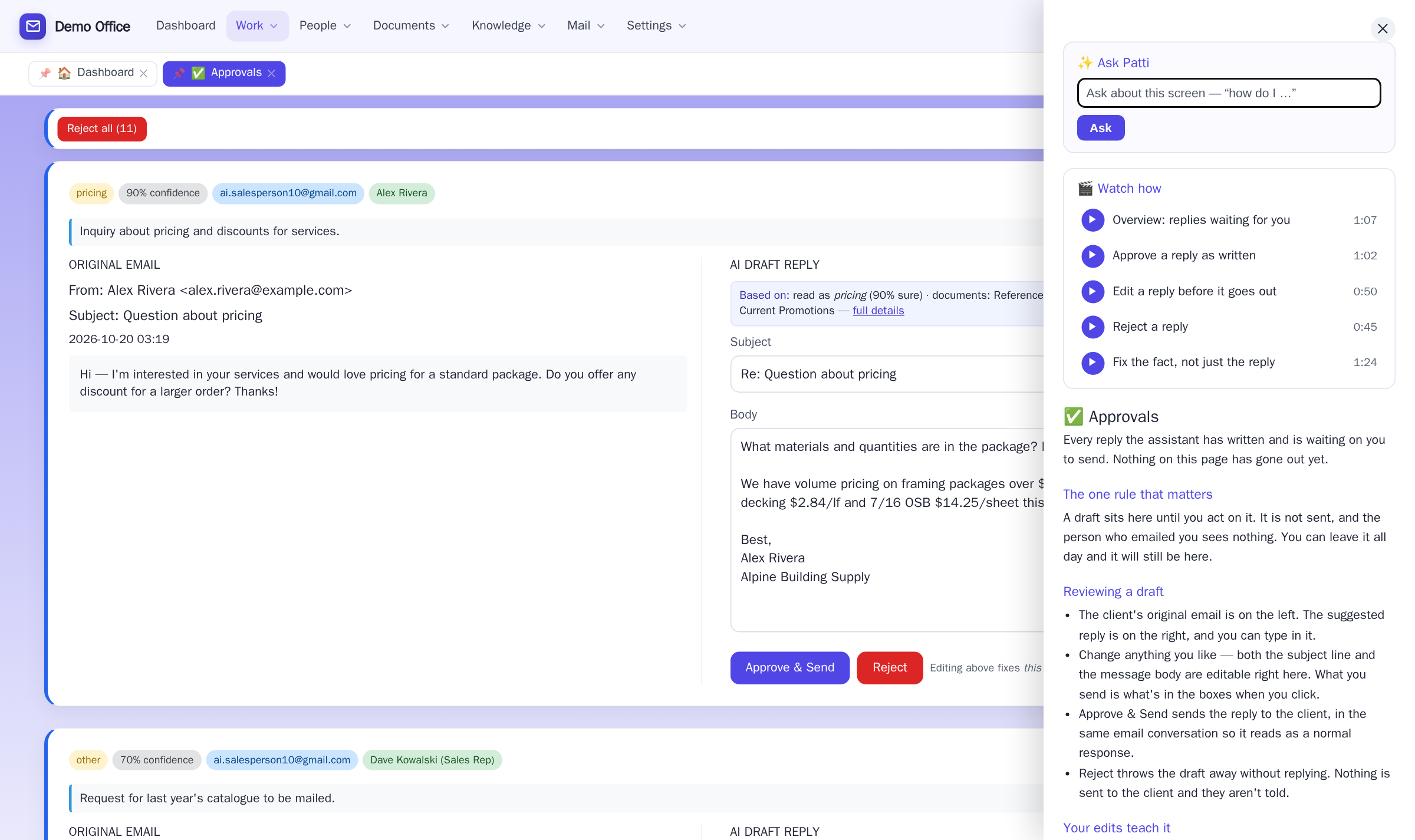
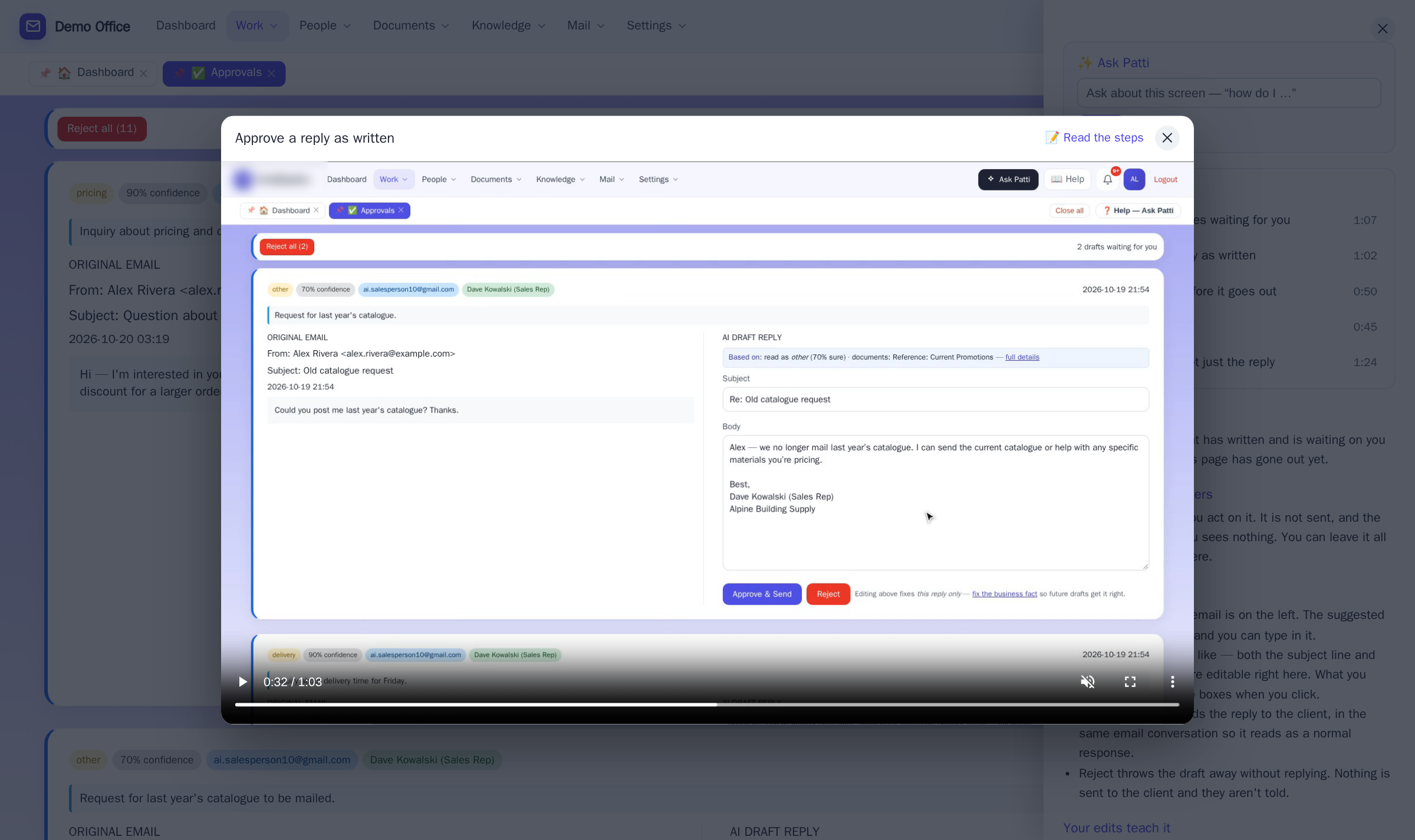
New staff learn on their own
No training day, no manual. Someone new opens the screen they’re on and watches how it’s done.
Videos for your kind of business
The campground’s front desk, the salon’s booking page, the repair shop’s board.
Always up to date
When a screen changes, its video changes with it. Nothing to install.
Included in every package
Not an add-on, no extra charge.
The lead that comes in at 9pm on a Saturday still gets caught.
Every small business has lost a job because an email slipped through on a busy day — or after hours. Patti has two safety nets so a lead never goes cold, and a promise that nothing ever fails silently.
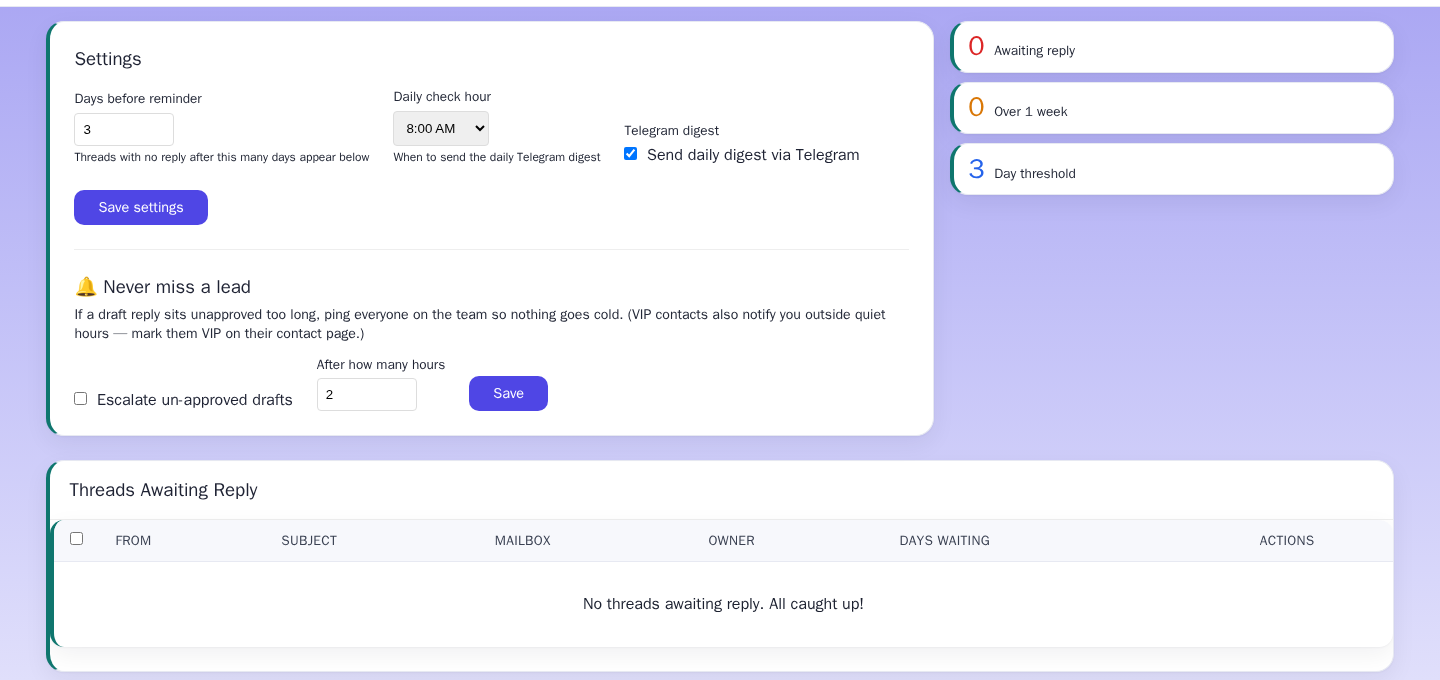
The team gets nudged
If a drafted reply sits unapproved too long, Patti alerts the whole team so somebody catches it. You set the timing — and it’s off until you turn it on.
VIP senders always get through
Mark a contact as VIP and their emails always reach you — even during your set quiet hours. Your best client never waits until morning.
Nothing fails silently
If Patti ever can’t process an email, you see it and can retry with one click. Replies never just quietly stop.
Website concierge chat
A chat box for your own website that answers visitor questions using your front-desk notes — so the answer is yours, not a canned script.
Patti, your office assistant
Chat with your own system by text or voice: “what’s on my calendar?”, “draft an email to…” — and it’s done.
Run a rental business?
There’s a whole front desk for cabins, RV parks, and vacation rentals — check-in, check-out, a till for walk-ins, an unpaid list, one-page reservations, bookings and a walk-in “what’s open?” finder, channel sync, cleaning schedules, a running tab per guest with receipts and statements on your letterhead, a sales & tax report, and printable daily reports.