
Your front desk, minus the desk.
It’s 11pm and someone wants to book a cabin. Patti’s on duty — answering with the nights that really are open, holding the booking for your OK, and lining up the cleaner before checkout day.
Concierge — Patti arrives already speaking hospitality
The Concierge pack starts Patti pre-tuned for cabins, RV parks, and vacation rentals: she answers booking and availability questions day and night from your real availability, in the voice guests expect. An add-on layer on either tier — see pricing.
The whole front desk in one place — and it already knows who's here.
Every screen below is run from the same reservation, the same price list, and the same drawer as the email Patti answers. Check-in, check-out, a walk-in sale, who still owes money, one page per stay — it's the desk, minus the desk.
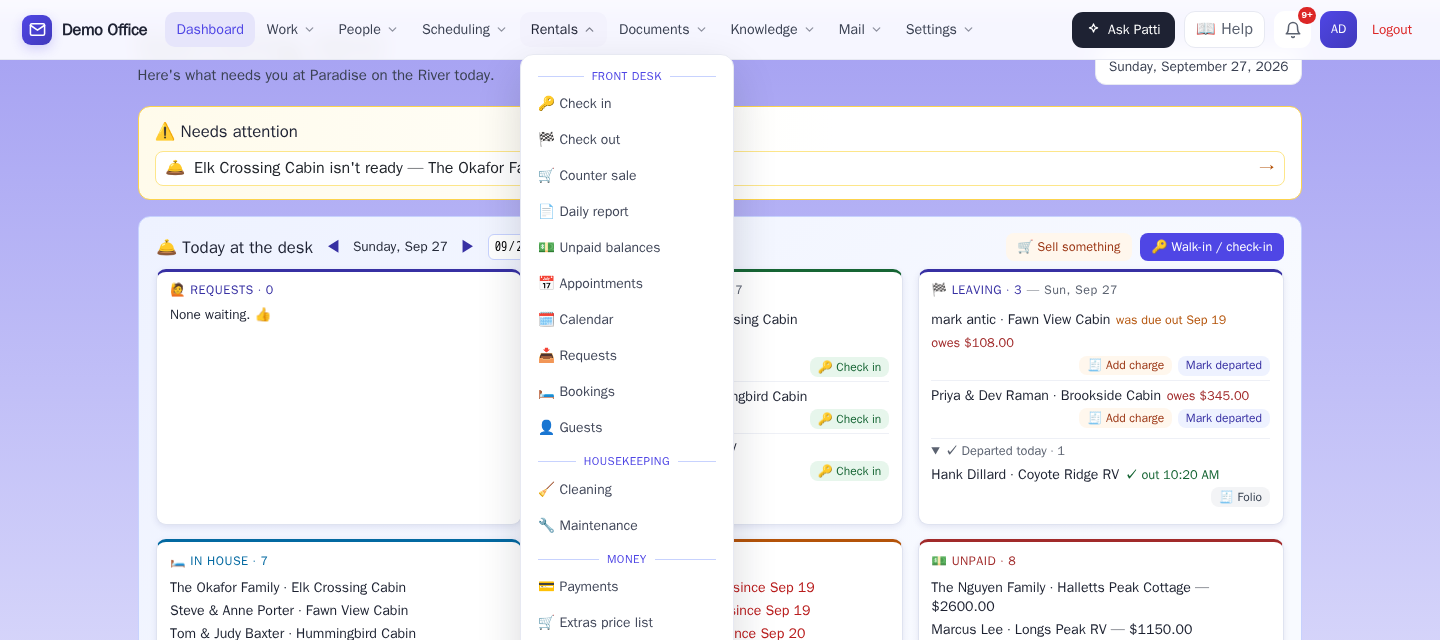
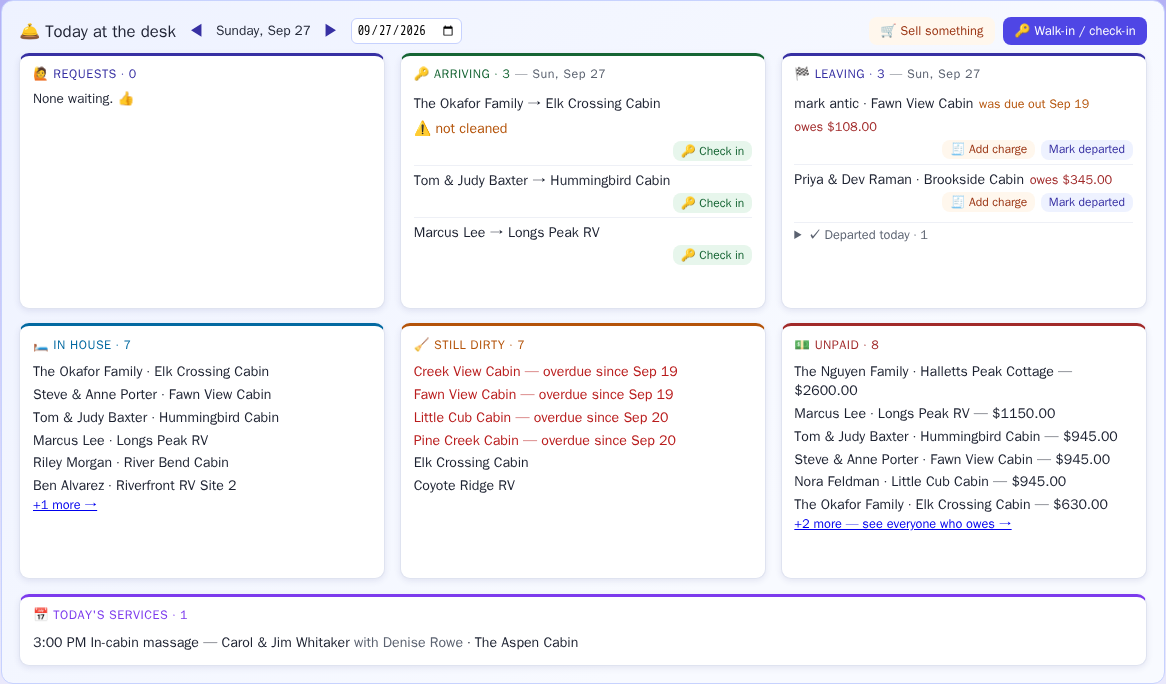
Open the desk at 7am and the day is already sorted.
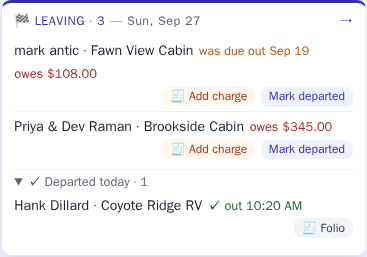
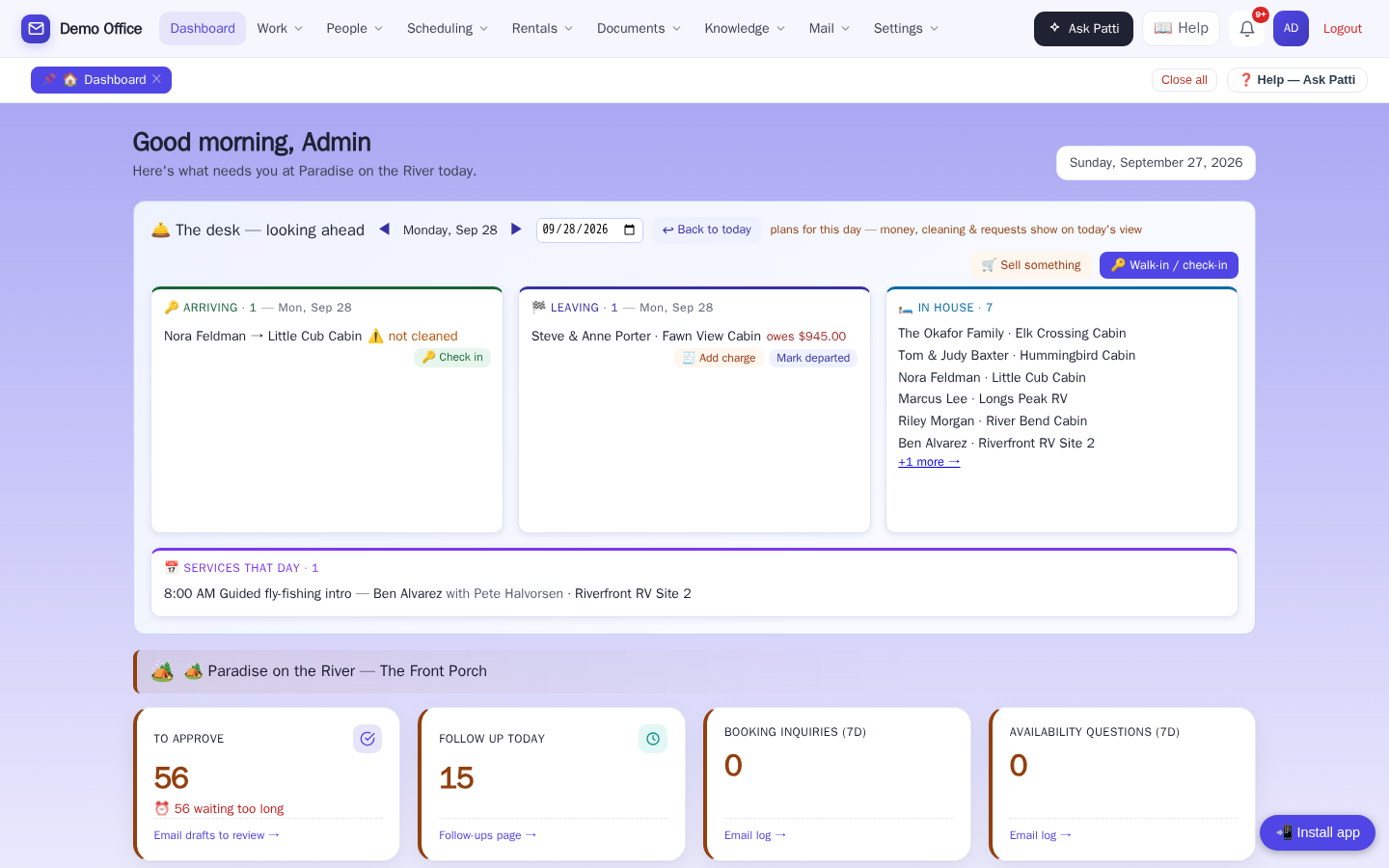
The clerk's morning on one strip: Requests, Arriving (with ⚠️ not cleaned flagged on any arrival whose cabin housekeeping hasn't finished), Leaving (overdue departures on top, with what each one still owes), In house, Still dirty, Unpaid, and Today's services. Two buttons do the day's real work: Walk-in / check-in and Sell something.
🔑 Keys, rules, firewood, a massage on Tuesday, and the card — one page.
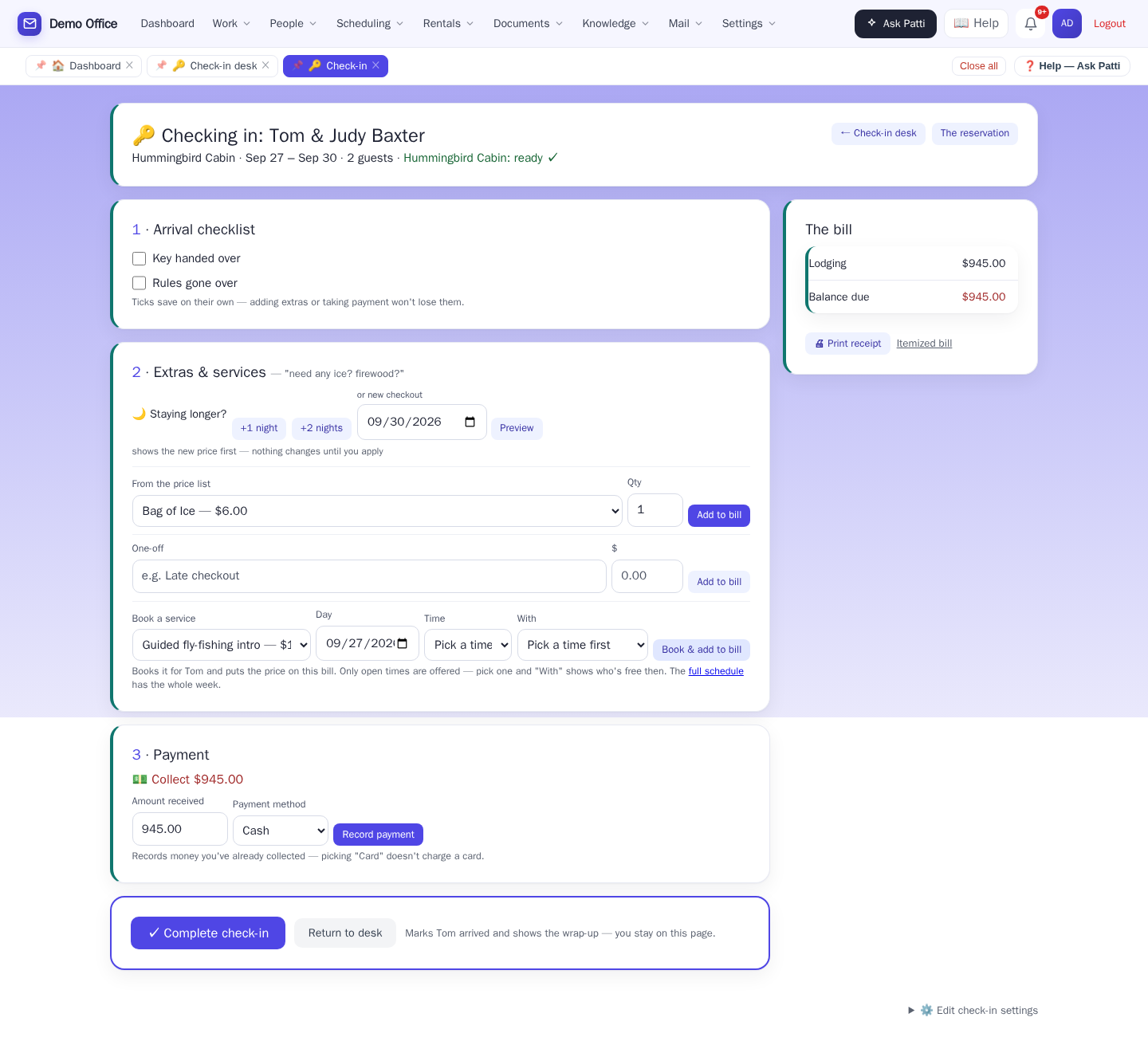
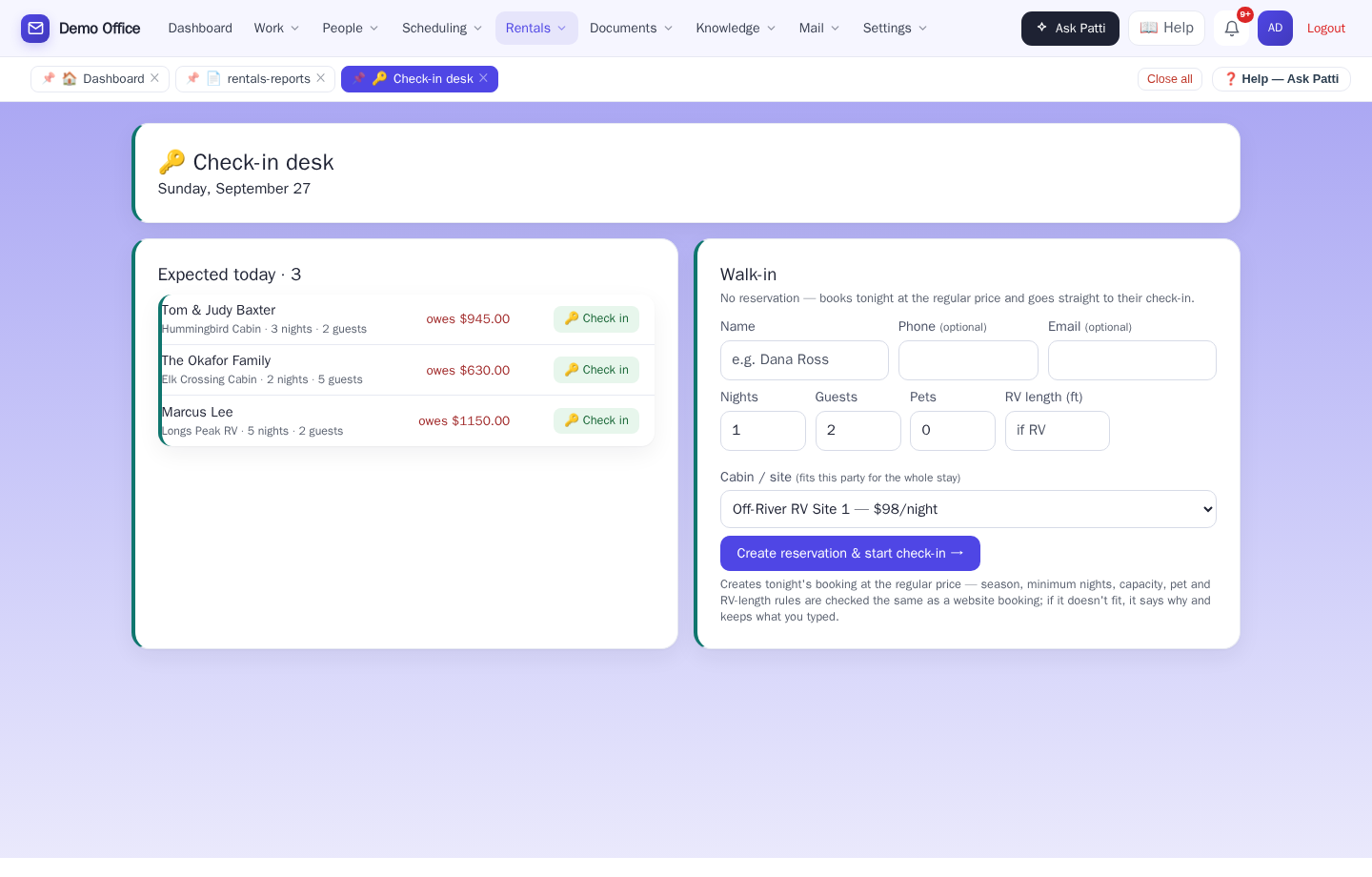
The desk page lists who's expected today with what they owe, and a walk-in form that books tonight at the regular price and goes straight to check-in — the cabin list only offers what actually fits the party: guests, pets, RV length, minimum nights. From there, the guest page is the whole arrival on one screen: key and rules checklist, "Staying longer?" with a price preview before anything changes, extras off the price list, booking a service with only open times and only free staff offered, the bill on the right, payment, then one green button.
- Walk-ins book and check in without leaving the page
- "Staying longer?" shows the new total before you promise anything
- Extras and services come straight off your own price list and schedule
🎬 The new hire at the desk can learn check-in on their own.
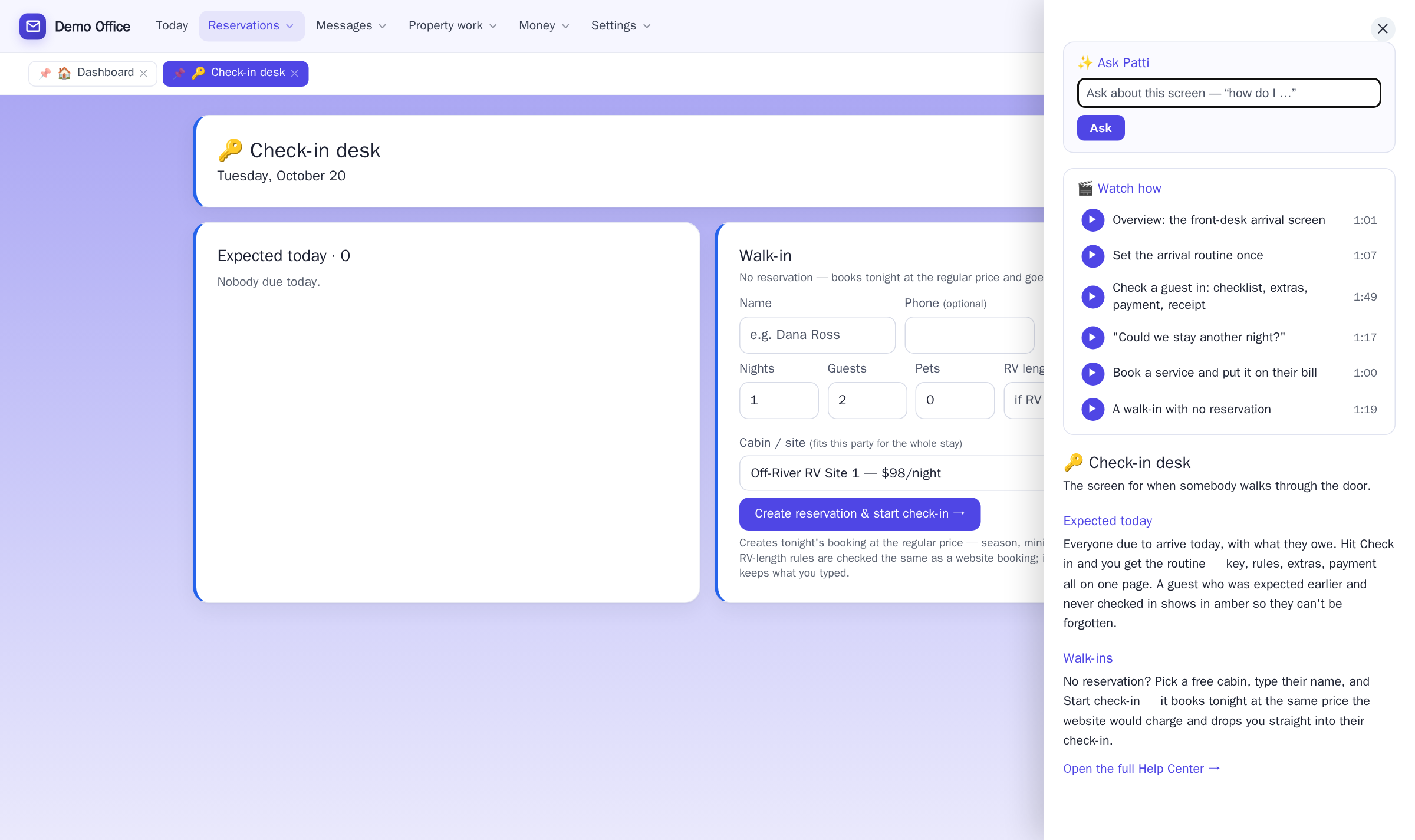
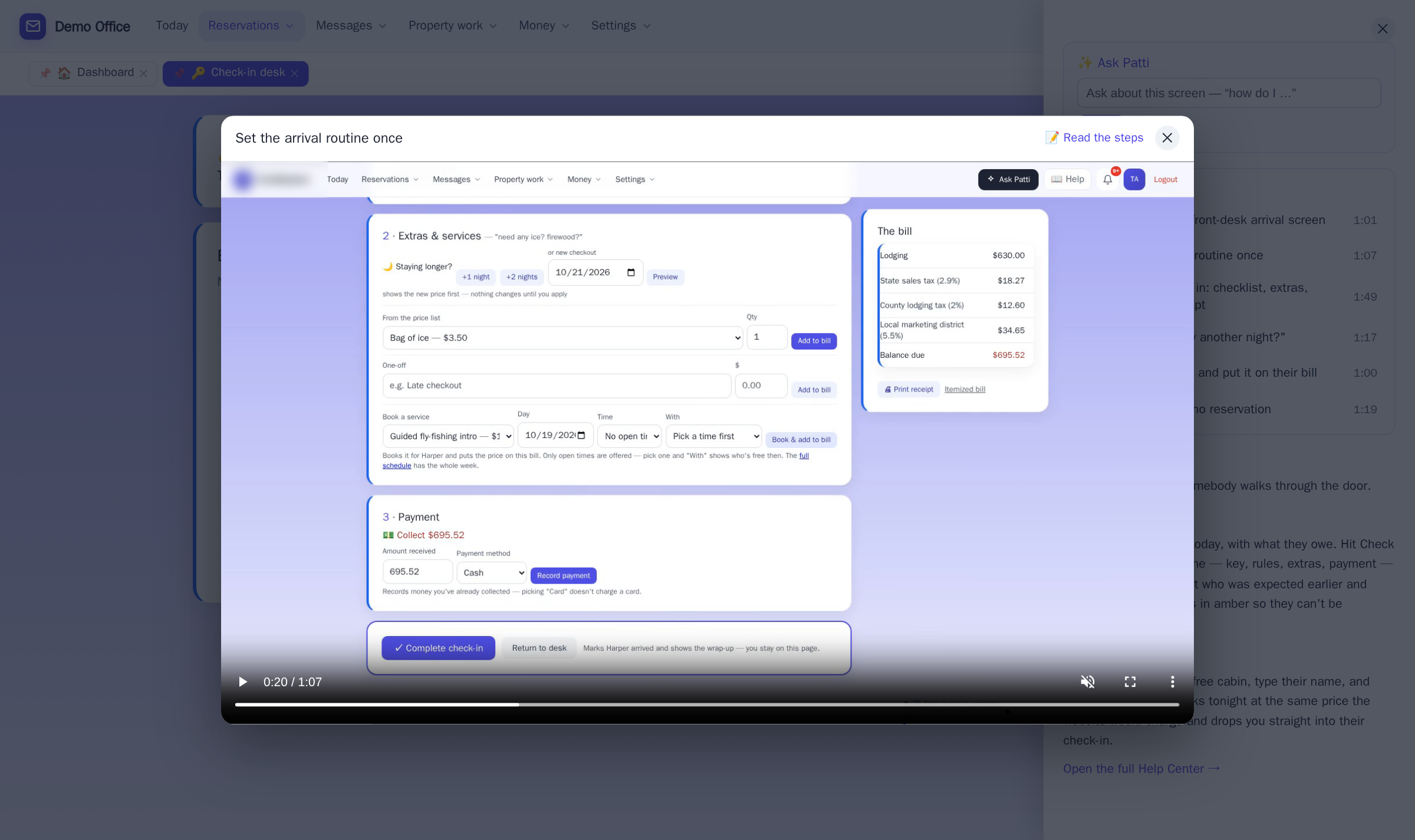
Stuck on a screen? Open Help and watch a one-minute video of exactly that screen. They’re videos for your kind of business — the campground’s front desk, not somebody else’s office. No training day, no manual, and they’re included in every package.
💵 Settle up, key back, done — and housekeeping already knows.
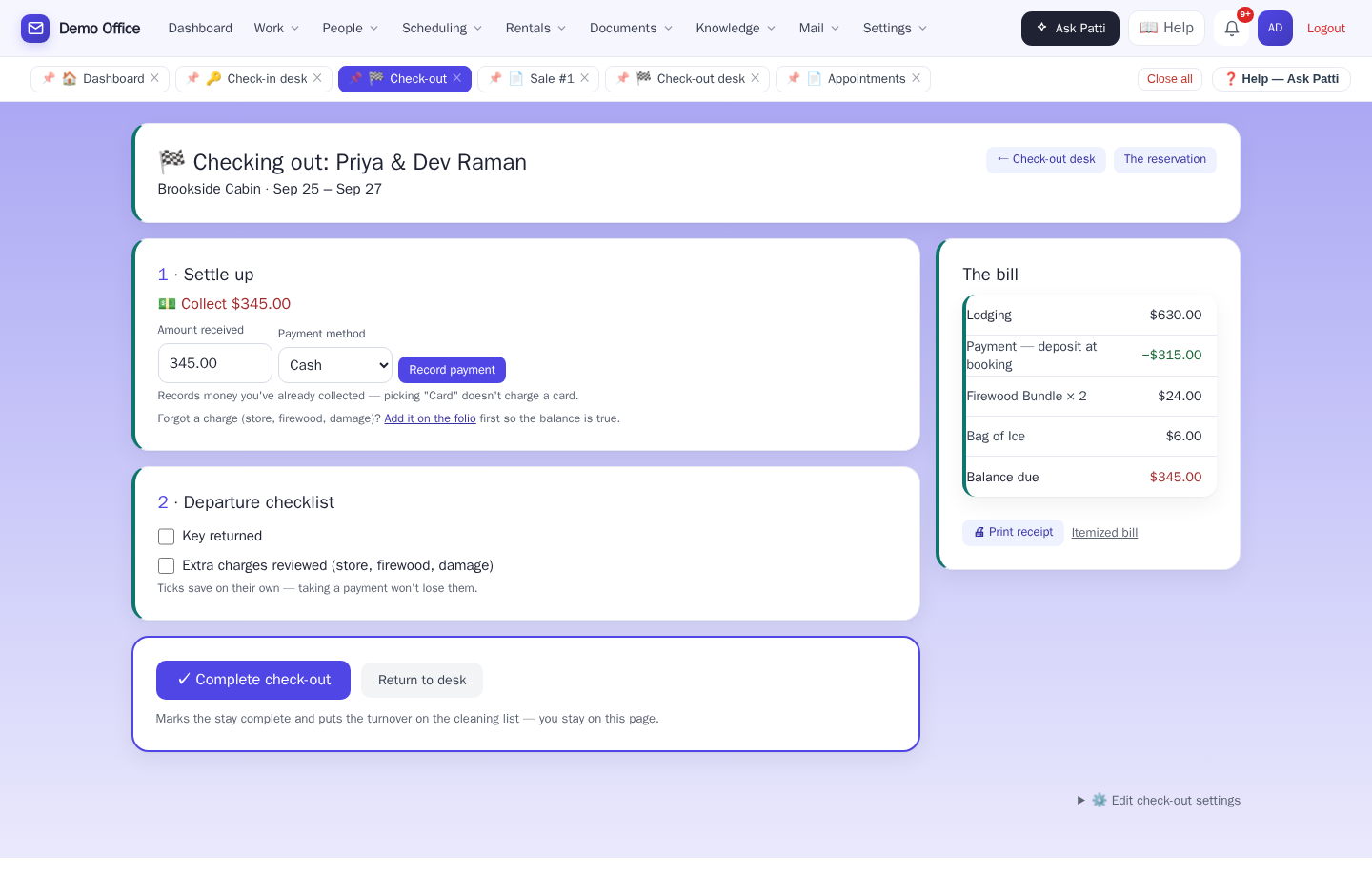
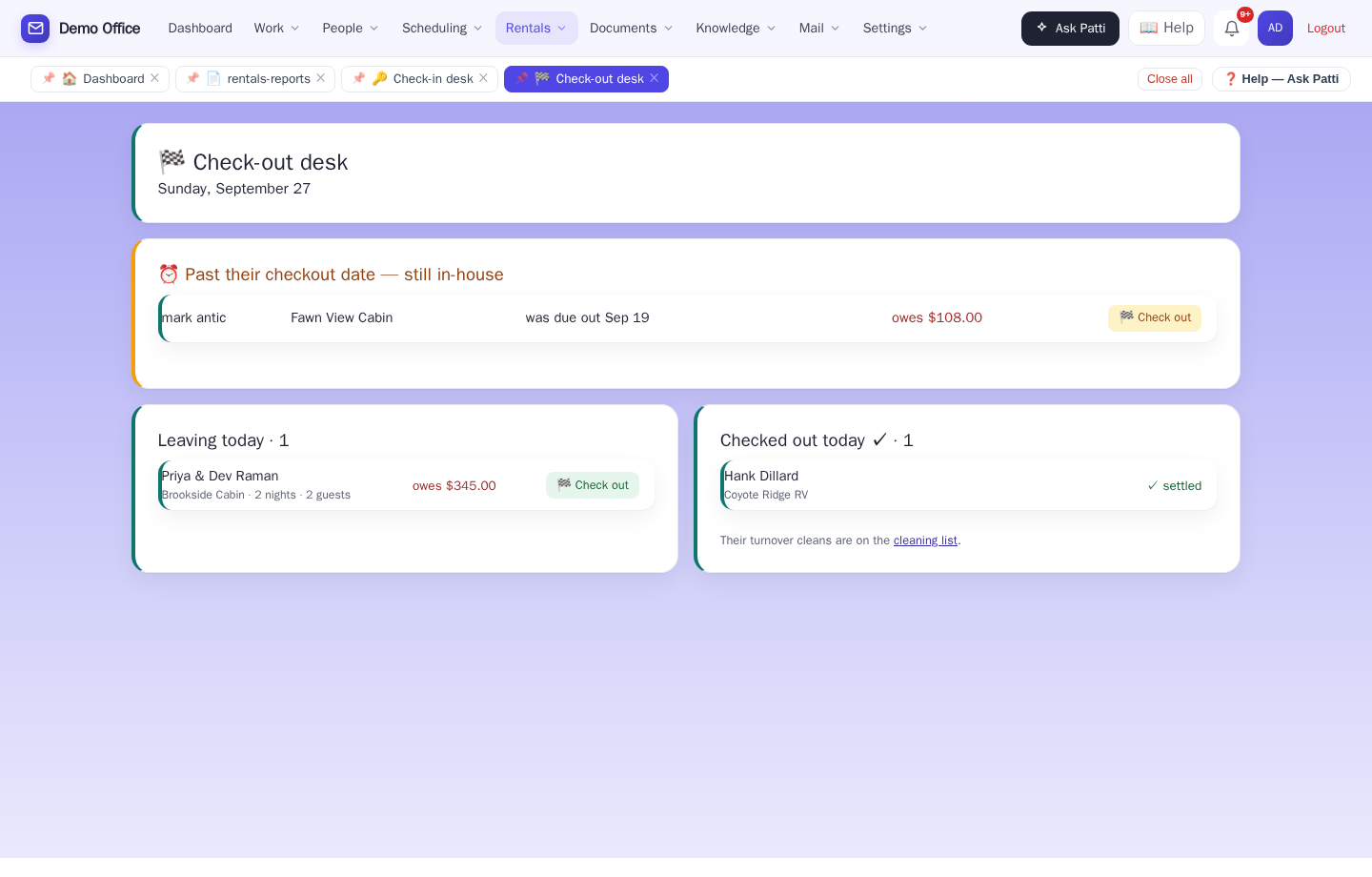
Leaving today, with the balance beside each name, anyone past their date at the top in amber, and who's already gone. On the guest page: collect exactly what's owed, record how they paid, tick key returned and extras reviewed, complete. Completing the stay puts the turnover on the cleaning list by itself — nobody has to remember to add it.
🛒 The till and the folio are the same drawer.
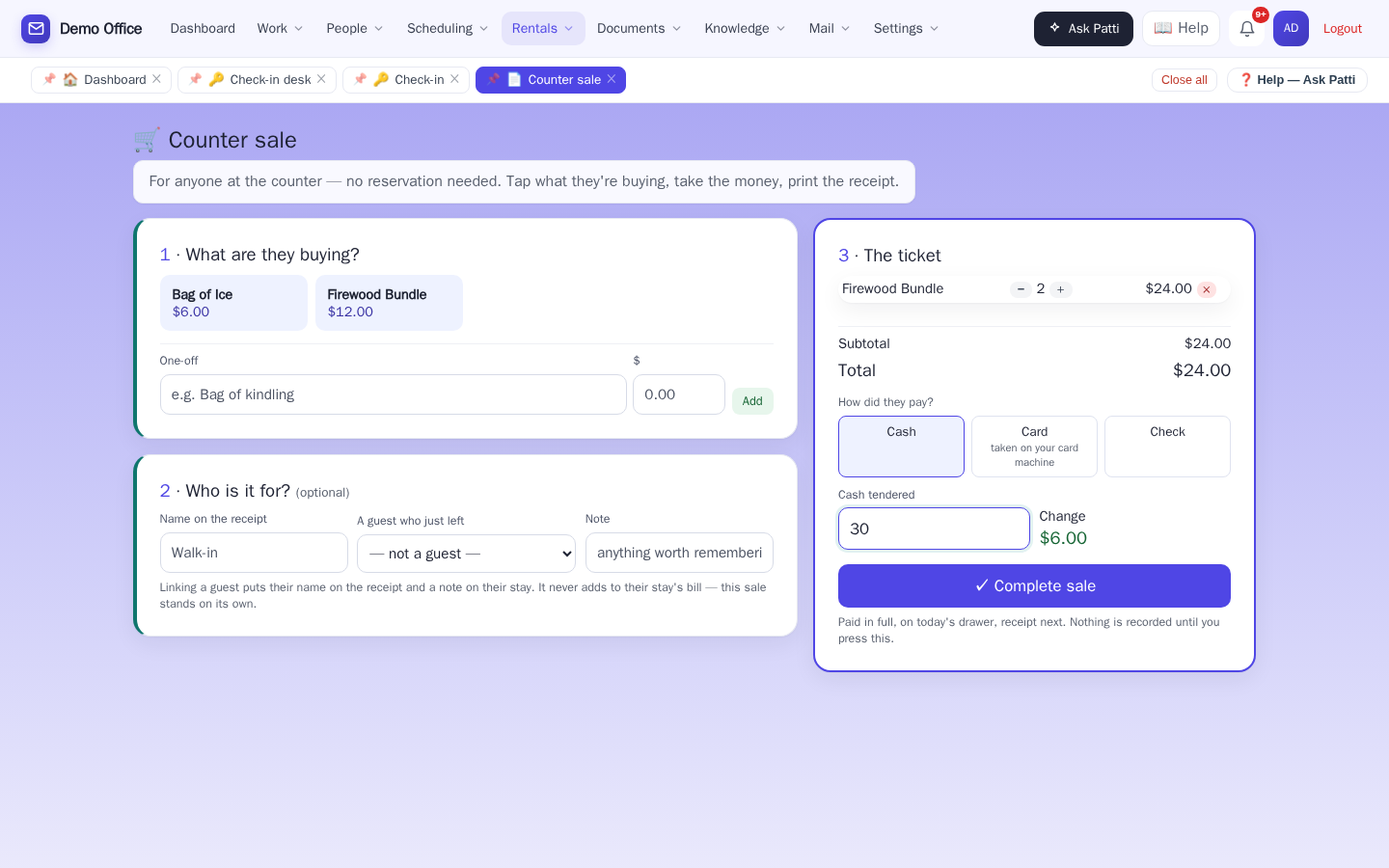
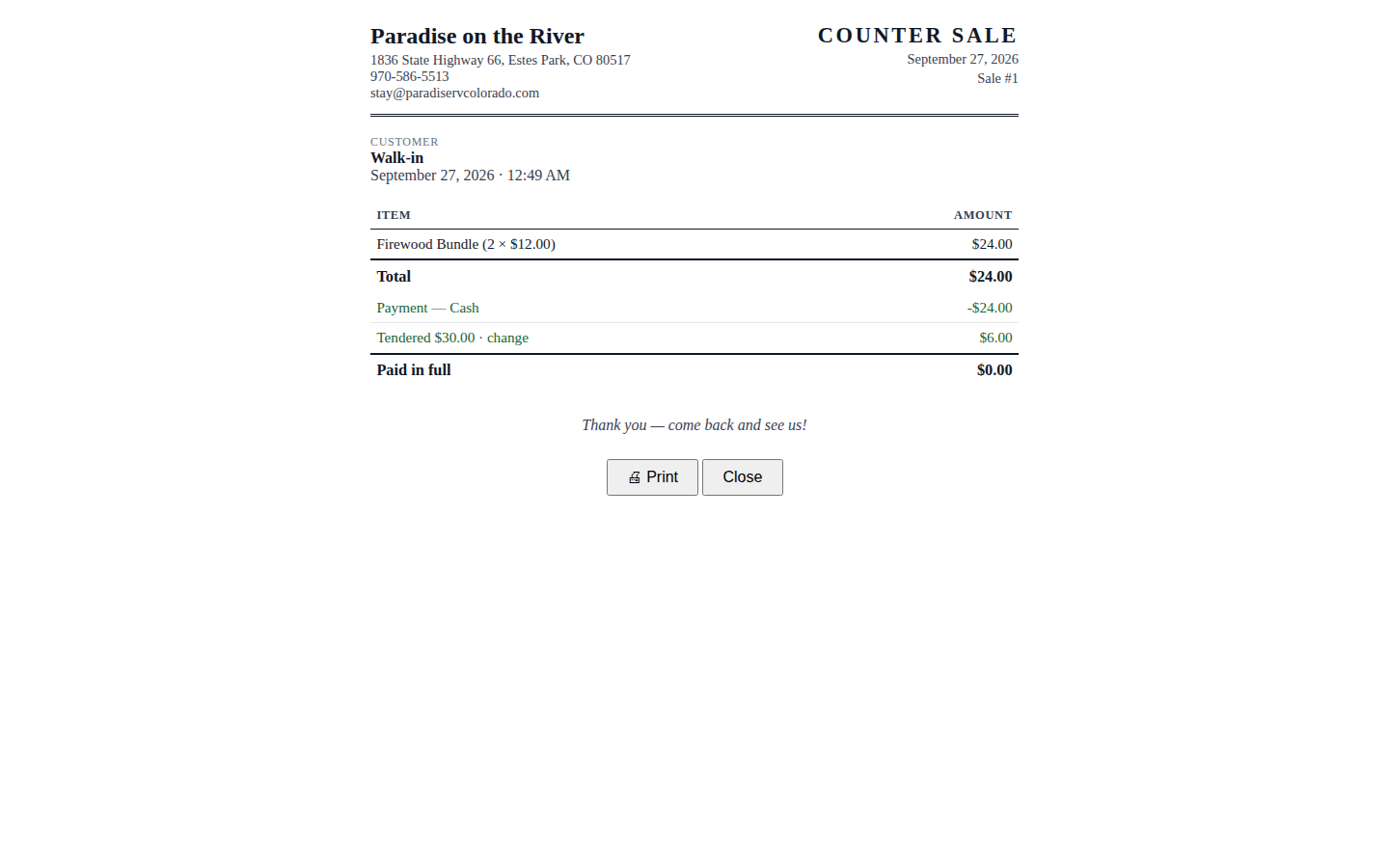
A neighbor wants two bundles of firewood and has no reservation. Tap the item twice, cash, type what they handed you, the change shows, complete, print. The receipt is on your own letterhead, headed COUNTER SALE. The sale lands on today's drawer and on Sales & tax right next to the checkouts — nothing rung twice, nothing lost. No name needed; if a guest who just left wants a receipt in their name, you can pick them without touching their already-settled bill.
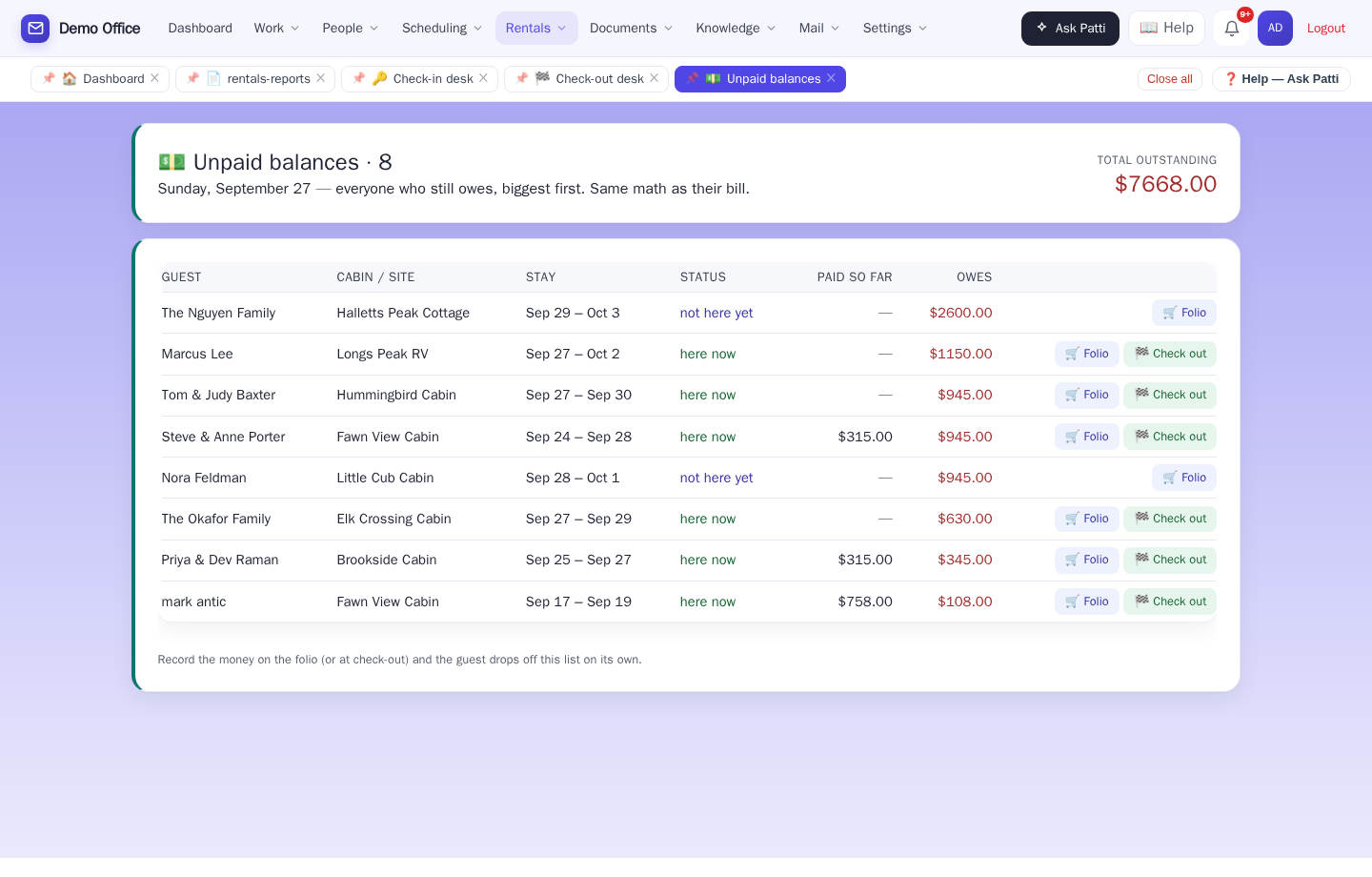
🚫 Nobody drives away owing you money.
Everyone who still owes, biggest first, with here now vs not here yet so the clerk knows exactly who to catch at the desk. Record the money on the folio or at check-out, and the guest drops off the list on their own — nothing to reconcile by hand.
"Can we stay another night?" — answered with the new total before you say yes.
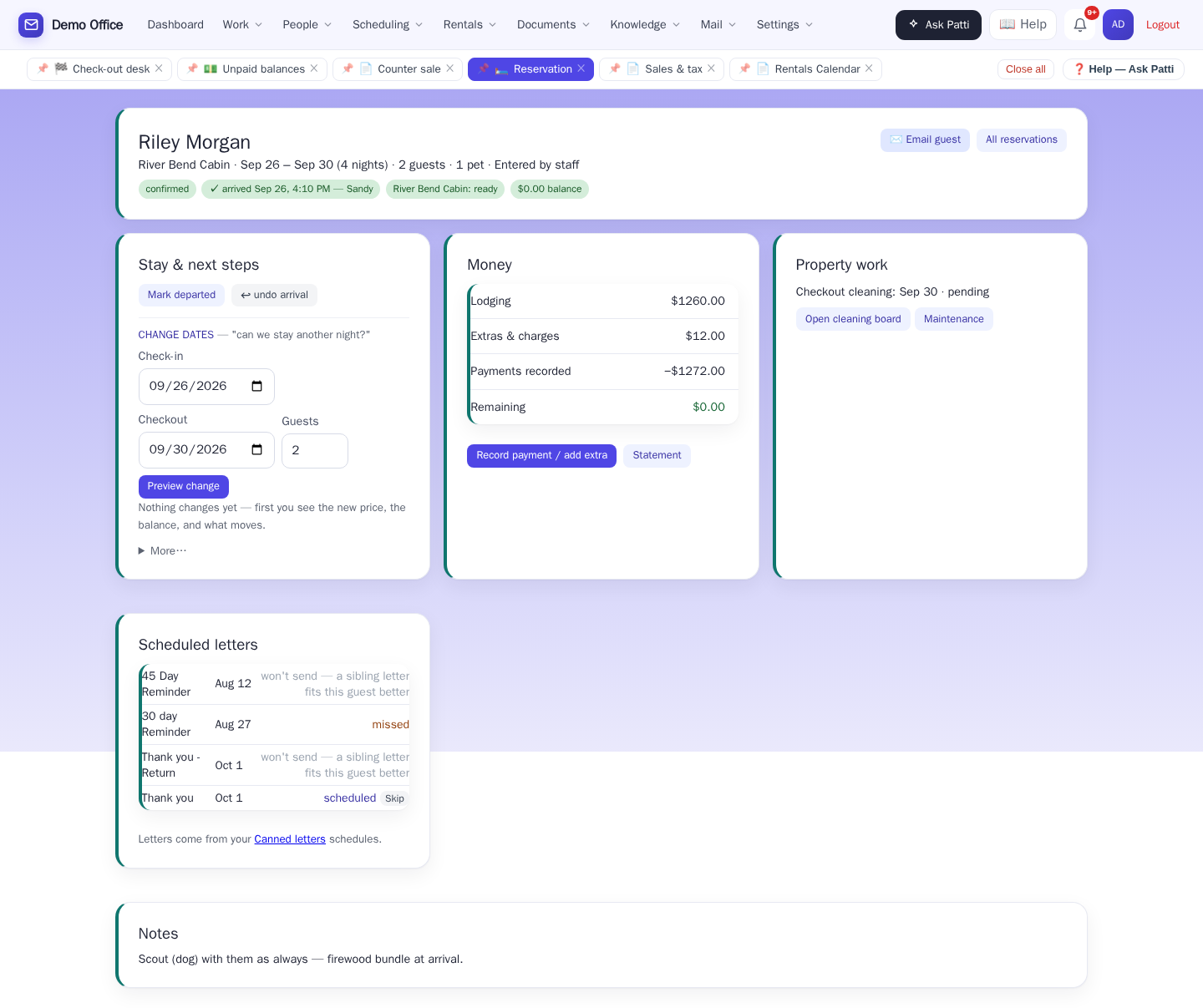
Everything about a stay in one place: status chips (arrived, cabin ready, what's owed), a check-in button, changing dates with a preview of the new price and what moves before it applies, money with record-payment and statement, the checkout cleaning and maintenance for that unit, the scheduled letters, and the notes.
📱 Guests look up their own booking.
Your guests can check their own booking: they type their phone number, get a code, and it's right there. No password, no app.
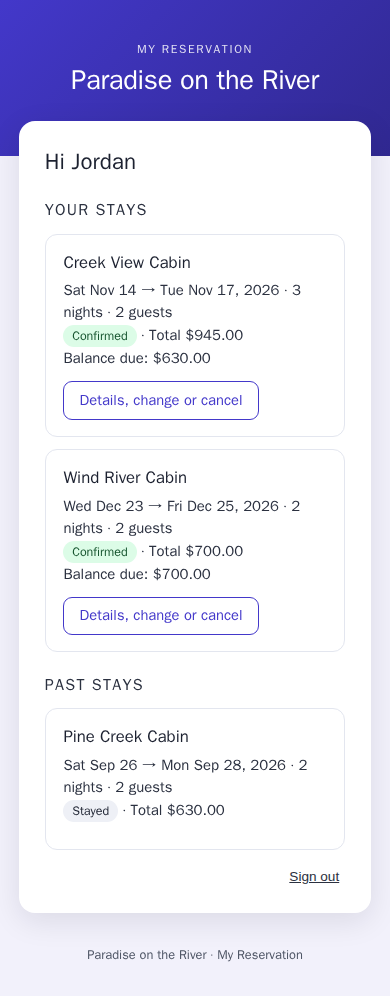
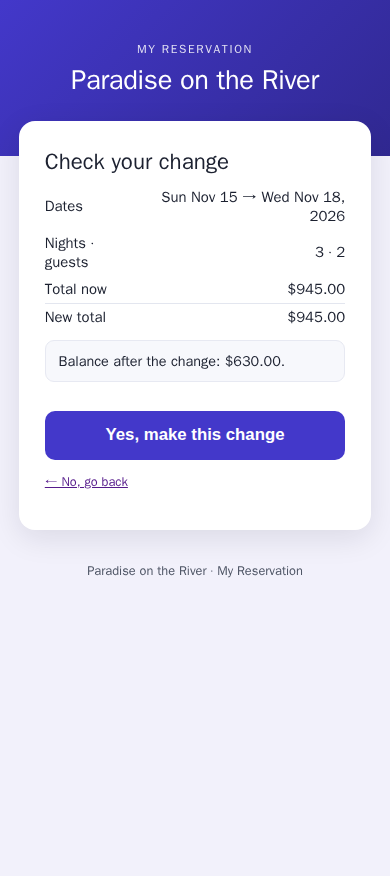
- Guests can change their dates or cancel online, and see the new price first.
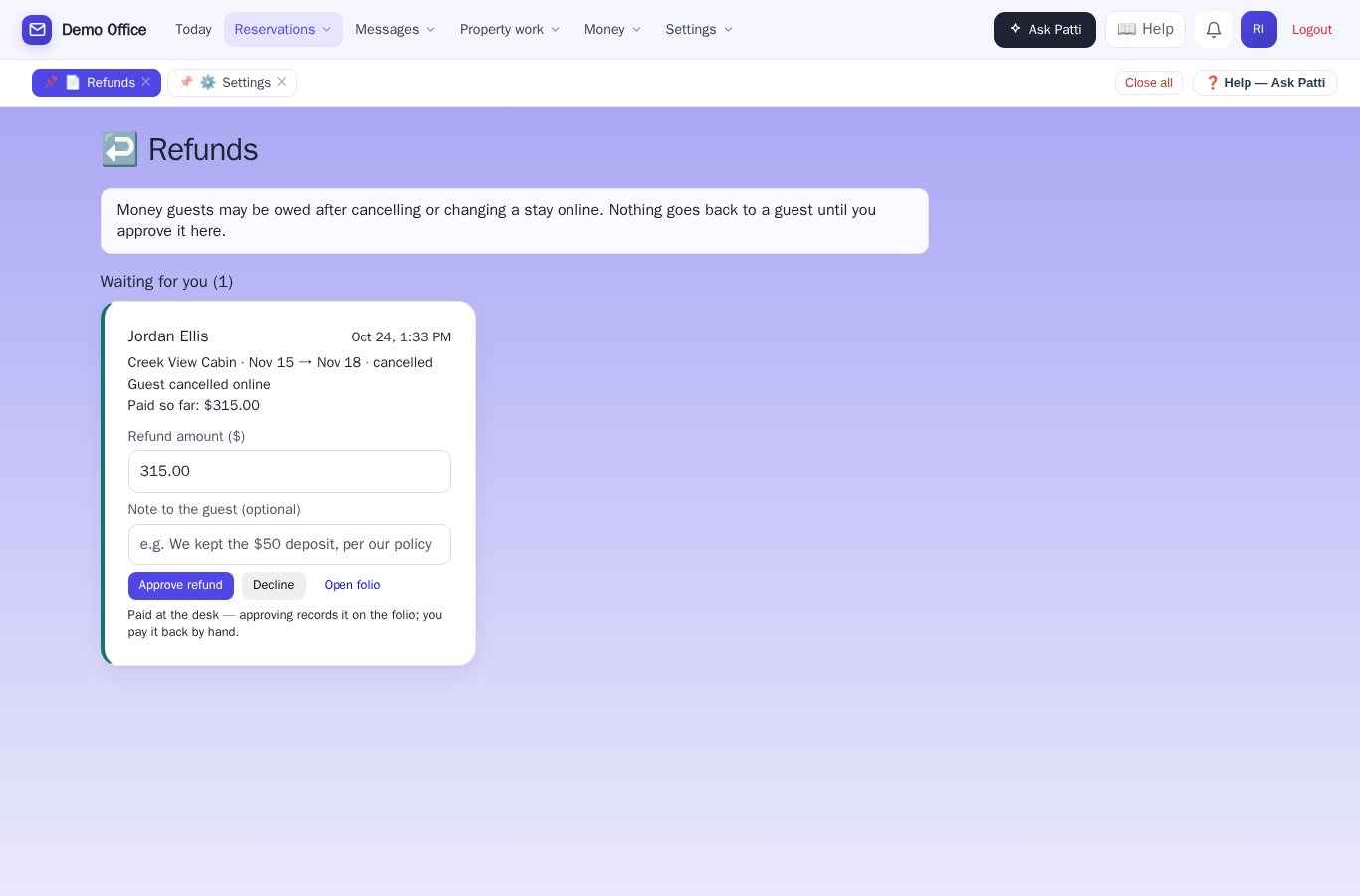
- Refunds wait for you. Nothing goes back to a guest until you approve it.
- You choose how close to arrival they can still change things. Inside that, the page asks them to call you.
- We send them a code by text or email.
- Fewer “what were our dates again?” calls.
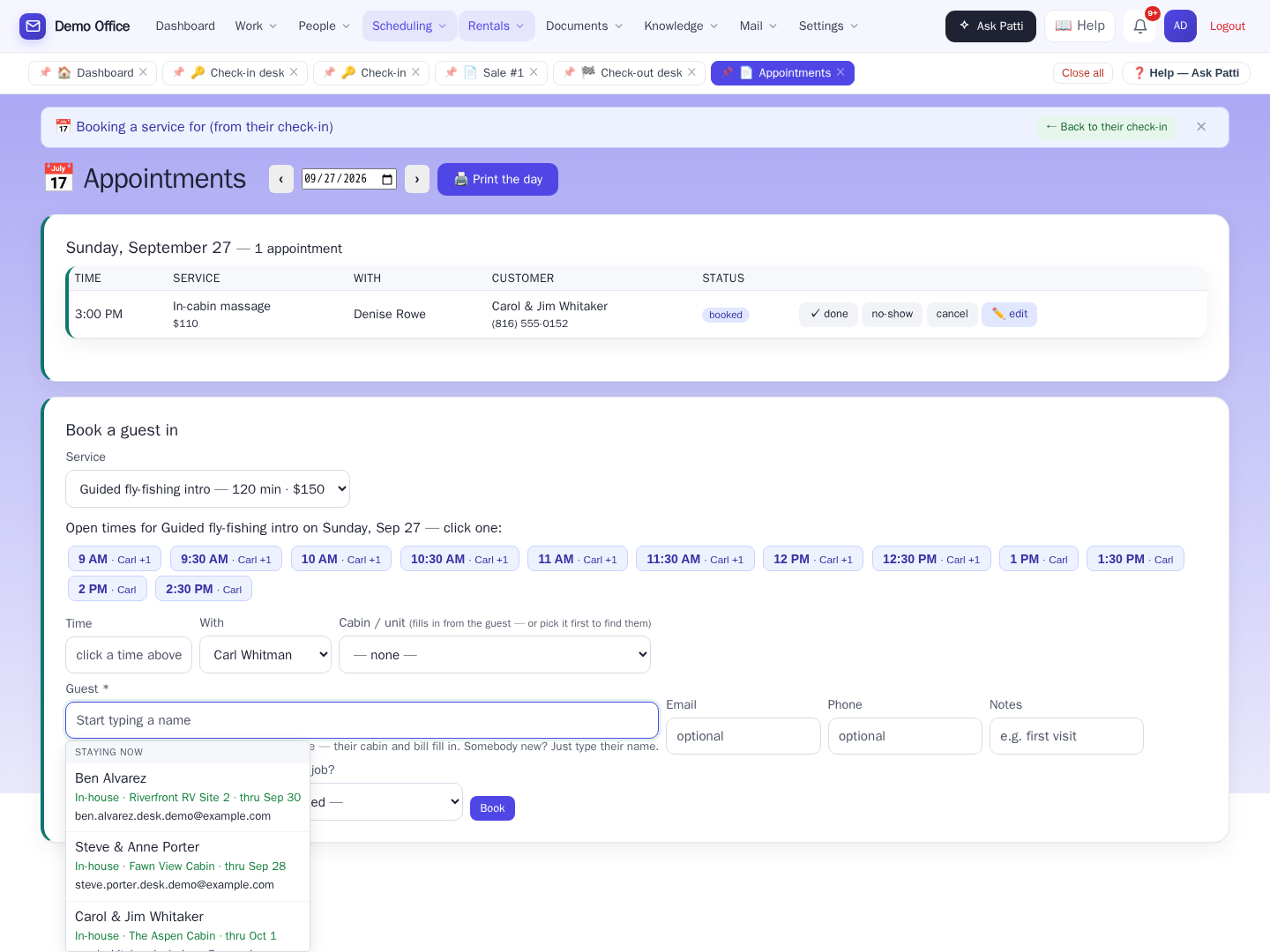
🙋 Booking a service doesn't start with a blank name field.
Click the Guest box while booking a service and it offers Staying now and Arriving soon, each with their cabin and dates. Pick one and it fills the cabin and puts the service on their bill. Somebody new? Just type their name — the same guest picker the front desk and the email Patti answers both read from.
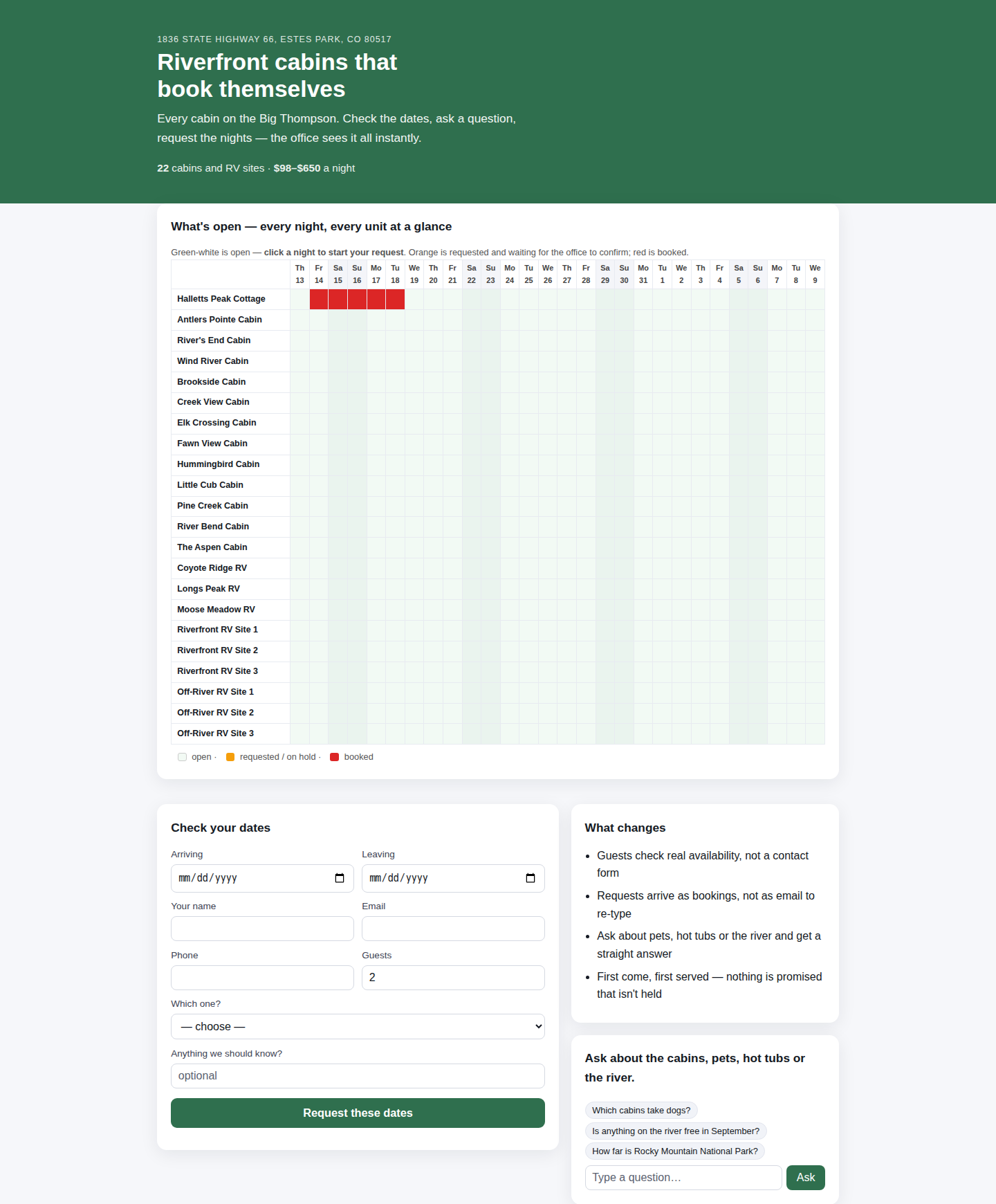
The whole park, open on your website.
Every cabin and site, every night — guests see exactly what's open and click a night to book it. Take payments online? Then that's the whole story: they pay, the nights turn red, booked.
Don't take payments online? Patti manages the reservation for you. The guest's click reserves the nights — that's the orange you see here — and your office has 24 hours (or whatever window you choose) to confirm it and take payment your own way. Confirmed turns red; if the window runs out, the hold releases itself and the nights open right back up. Nothing stays locked, nobody plays phone tag, and the "is the 14th free?" emails are gone.
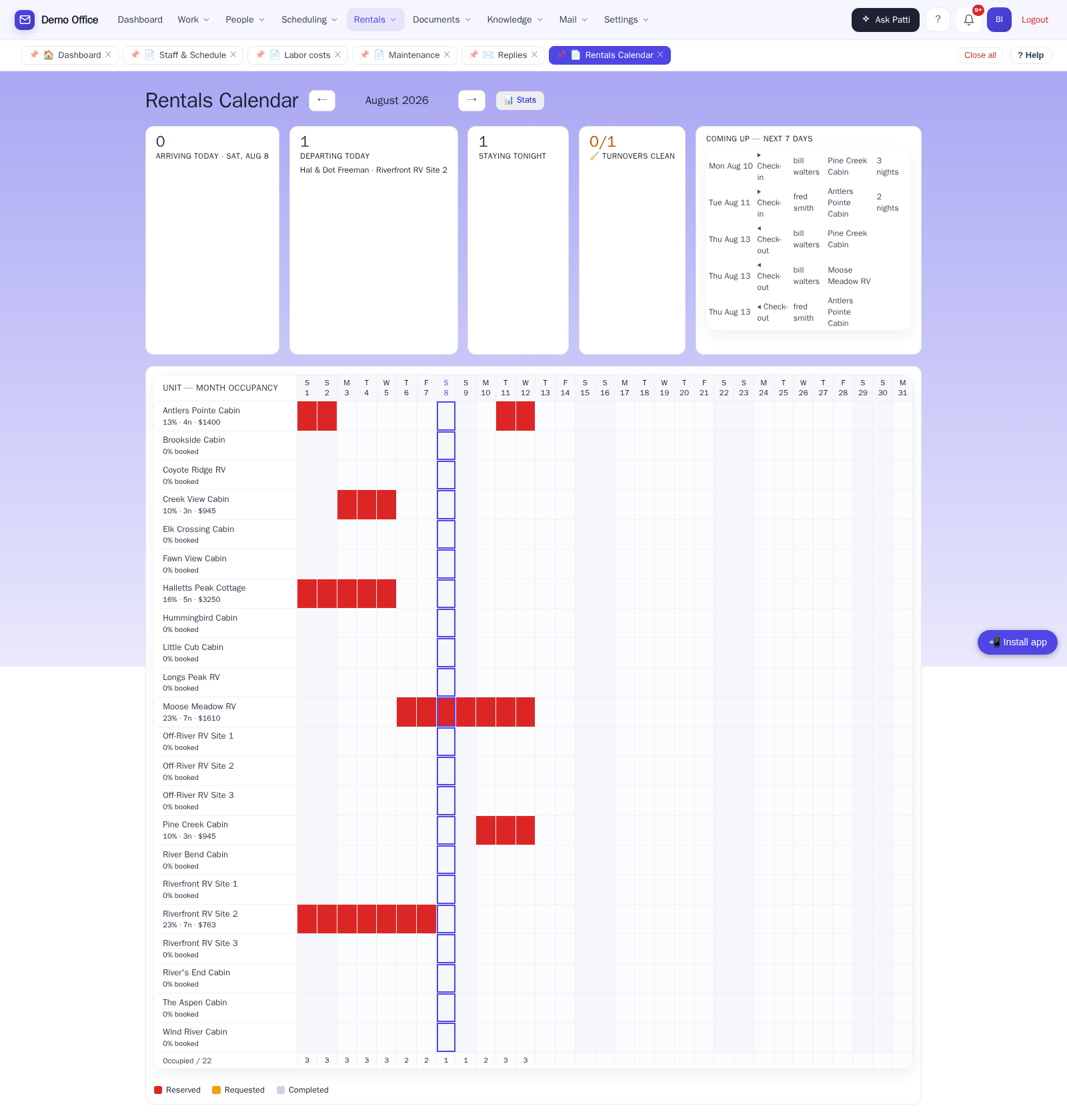
Every unit. Every night. One glance.
Arriving today, departing today, staying tonight, and turnovers clean — right on top of the whole month for every cabin, cottage, and RV site. It’s the wall planner: red is taken, white is open — click a white square and a booking for that cabin and that night is already half filled in. A guest arriving into a unit that hasn’t been cleaned yet is flagged right on the arriving-today card.
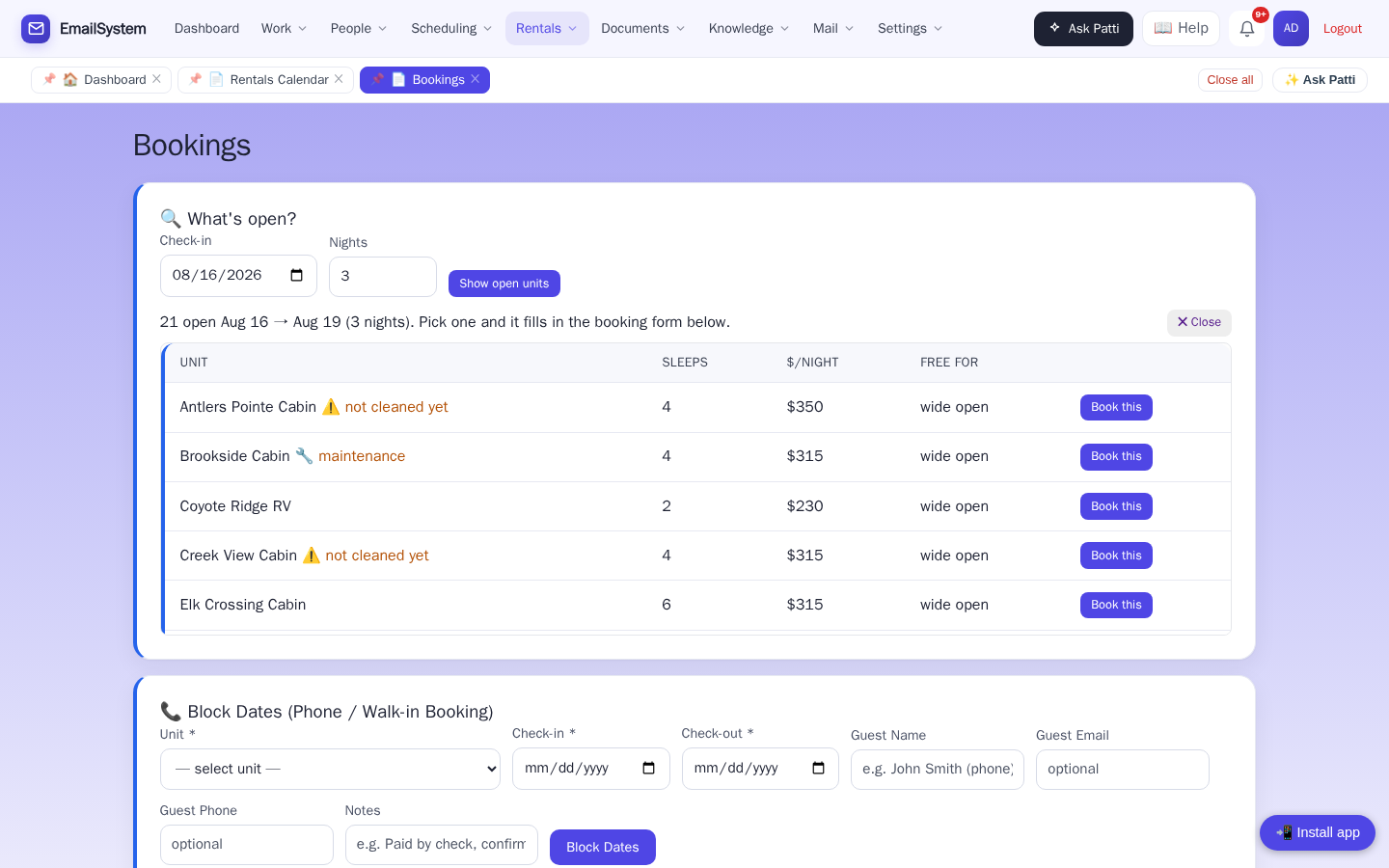
🔍 “What’s open?” — answered in one look
A guest walks in asking for three nights. Type the date and the nights, and every open unit is on the screen — the rate, how many it sleeps, and how long it stays free. Pick one and the booking form fills itself in. And notice the tags: ⚠️ not cleaned yet and 🔧 maintenance. The desk knows a cabin isn’t ready before anyone promises it to the guest.
- Every open unit for those nights, with rate and sleeps
- “Wide open” or “free for 4 nights” — so you can offer the longer stay
- One click fills the booking form; the phone/walk-in booking takes a name and a number, nothing more
Every charge becomes a receipt, a statement, and a tax report — by itself.
QuickBooks stays your ledger; this is the tab and the receipt book at the desk, and it finally means nobody has to go type an invoice somewhere else.
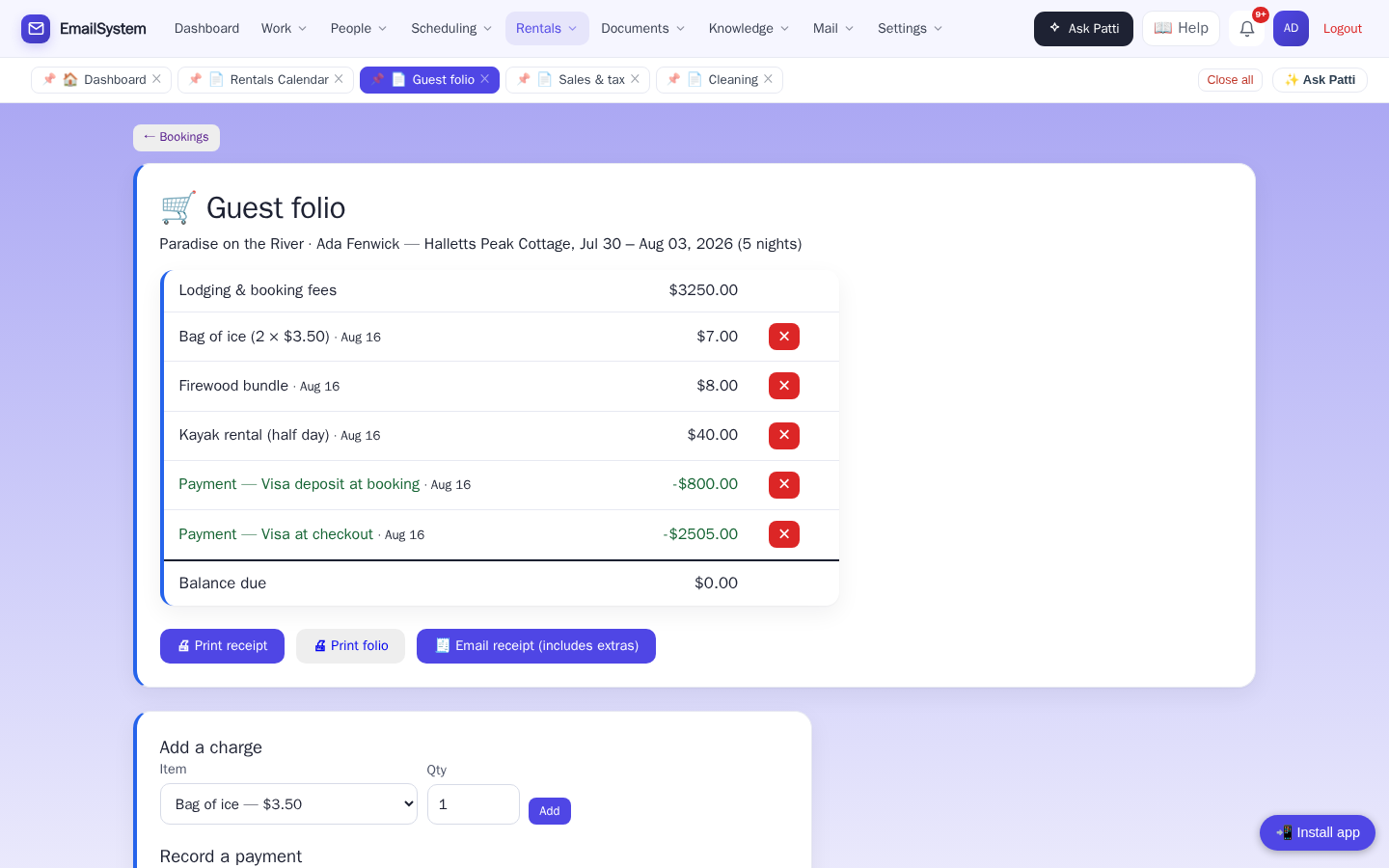
🧾 The guest folio — one running tab per stay
Everything the guest owes, on one page, from first deposit to final receipt. Ice on Tuesday, firewood Wednesday, a half-day kayak, the deposit taken at booking, the card at checkout — each stay gets one tab, and the balance is always at the bottom. Extras come straight off your own price list, so the clerk picks “Bag of ice” and the price is already right.
- Lodging and fees land on the tab automatically; extras are two clicks
- Payments are recorded as they happen — cash, check, card at the desk — and the balance updates itself
- Print the receipt, print the folio, or email the receipt to the guest — with the extras on it — from the same page
The folio records payments; it doesn’t charge cards. (Online deposits to hold a booking are a separate, optional thing — see below.)
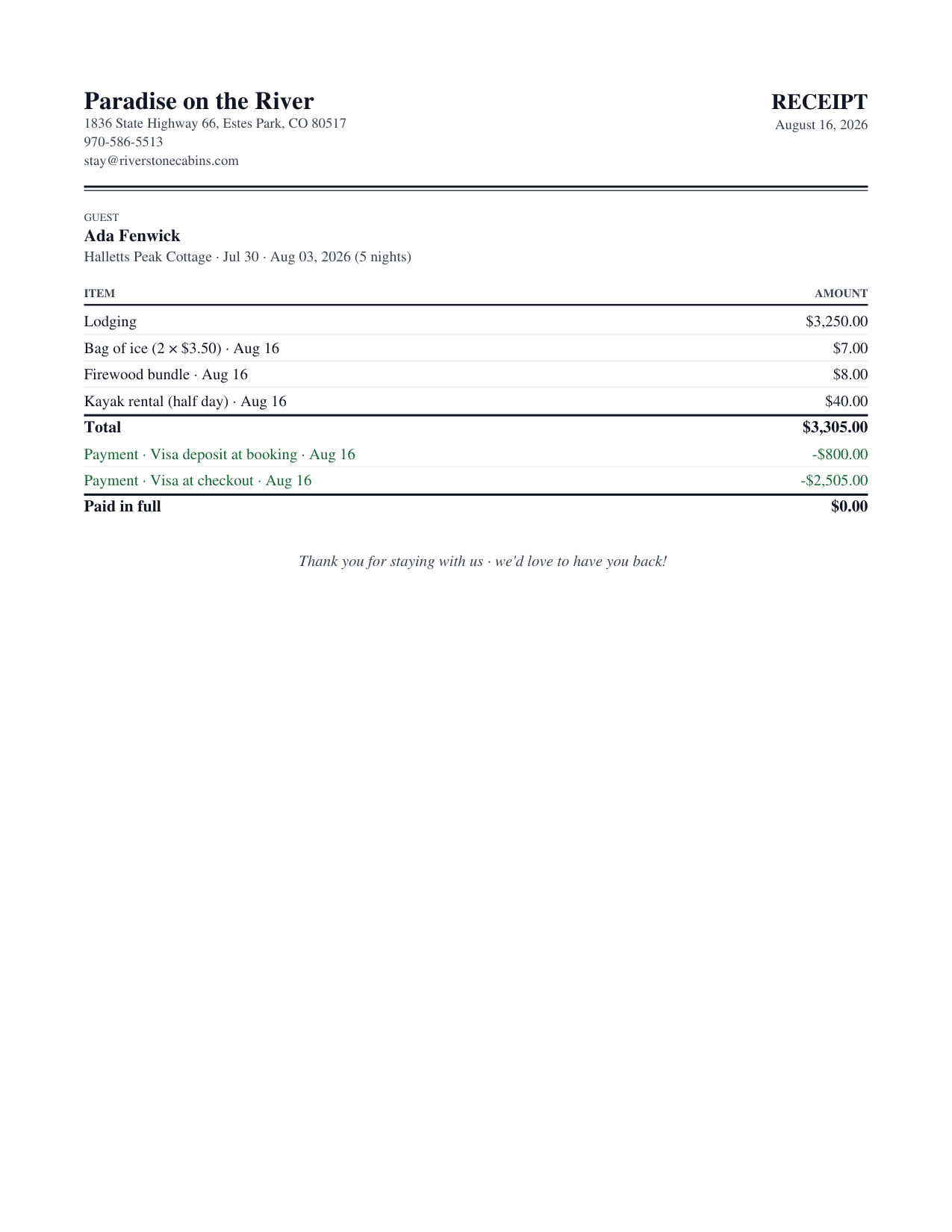
🖨️ Real paper, on your letterhead
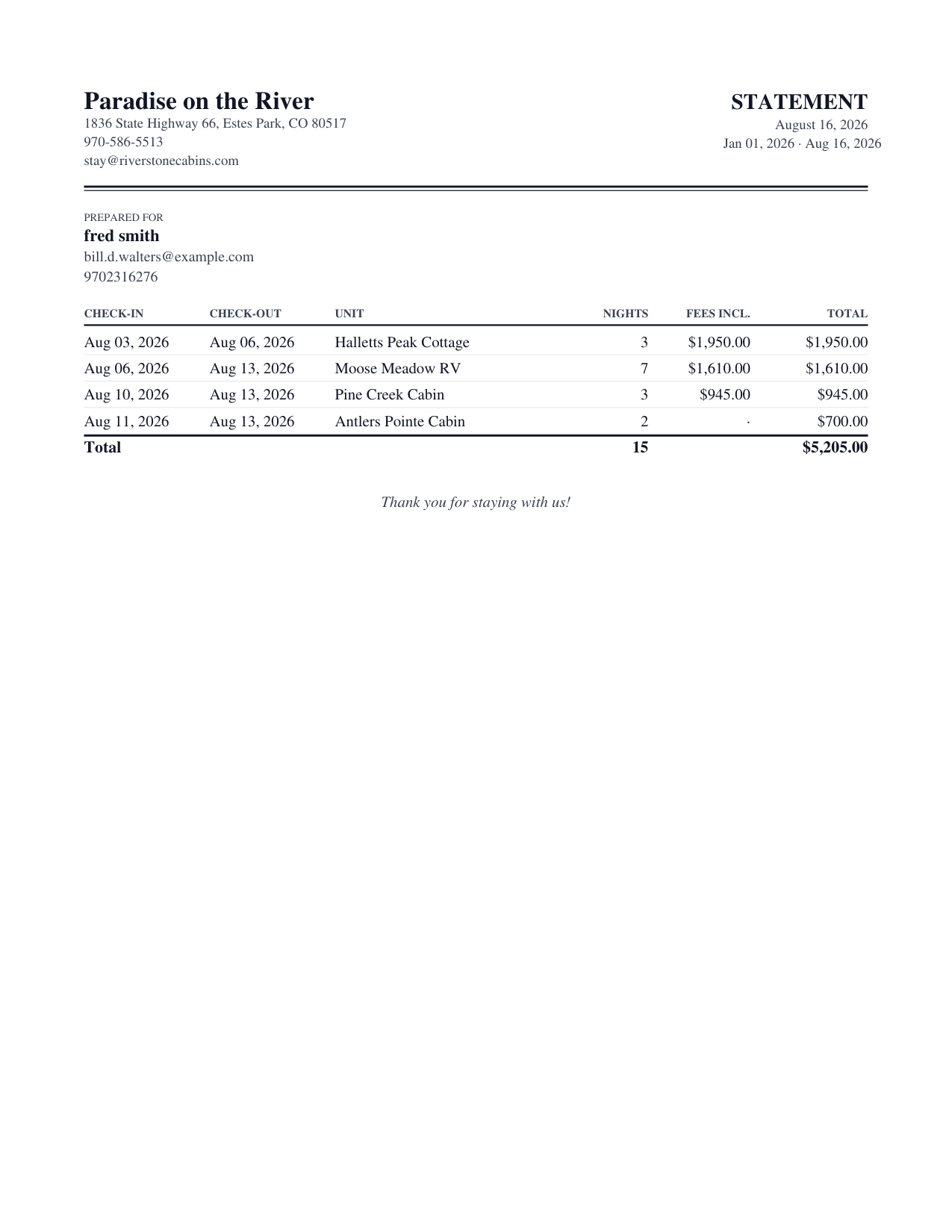
Letter-size, on your business’s own letterhead — a receipt that ends in “Paid in full,” and a per-guest statement for any date range you choose. Print it, or email it to the guest with one button. They look like documents, because they are.
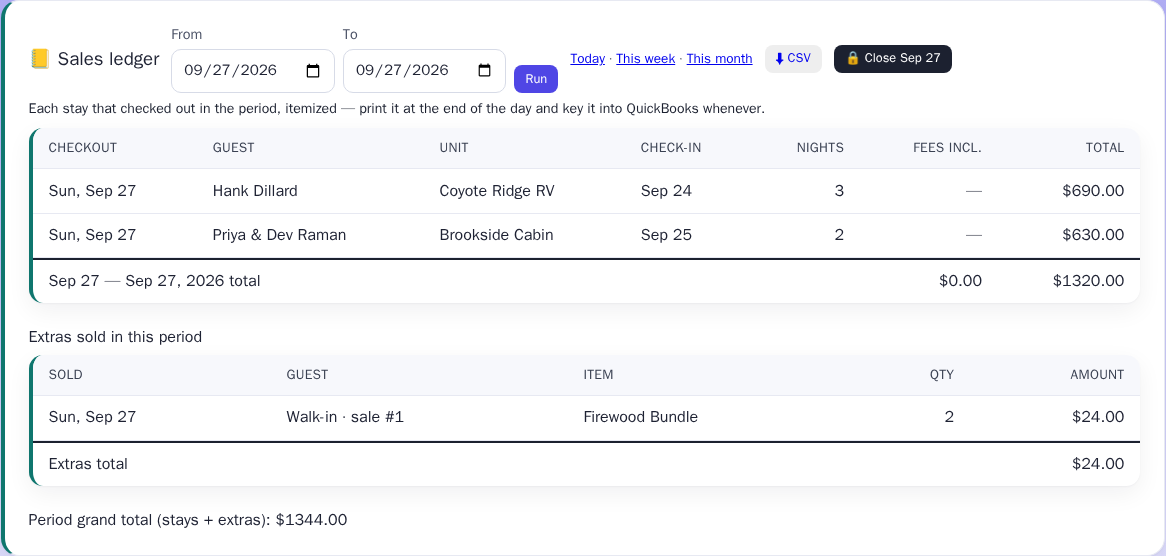
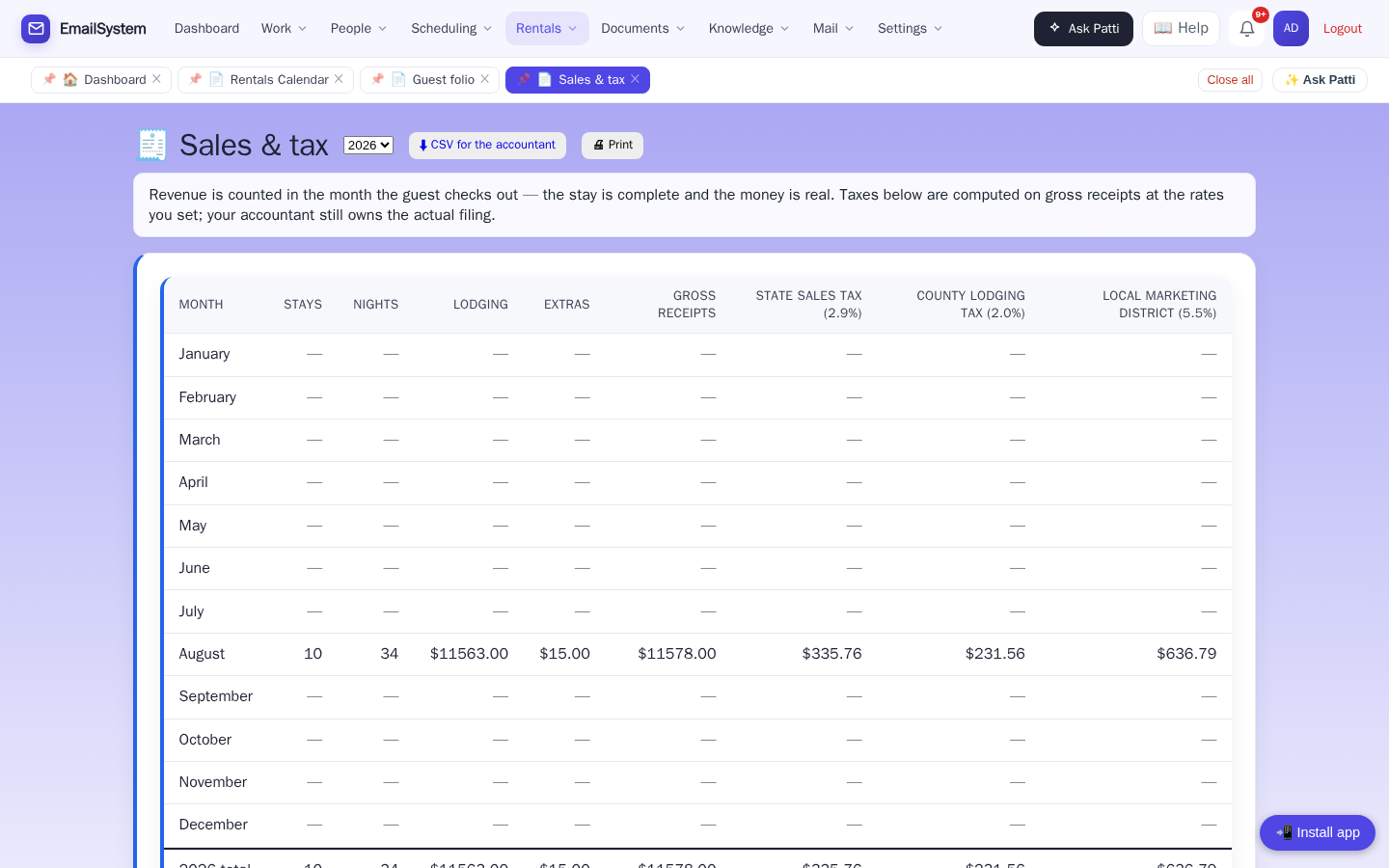
🧮 Tax time is a download. Closing the till is one printout.
Month by month: stays, nights, lodging, extras, gross receipts — and a column for every tax you collect, at the rates you enter (state sales tax, county lodging tax, the local marketing district, whatever applies where you are). One button gives your accountant a CSV. And at closing time, a daily sales ledger prints for the day’s till.
- Revenue counted in the month the guest checks out — the stay is done and the money is real
- Tax columns computed on gross receipts at your rates; your accountant still files
- CSV for the accountant, printout for the drawer
It’s a report, not a tax service — it does the arithmetic so nobody has to redo it in a spreadsheet.
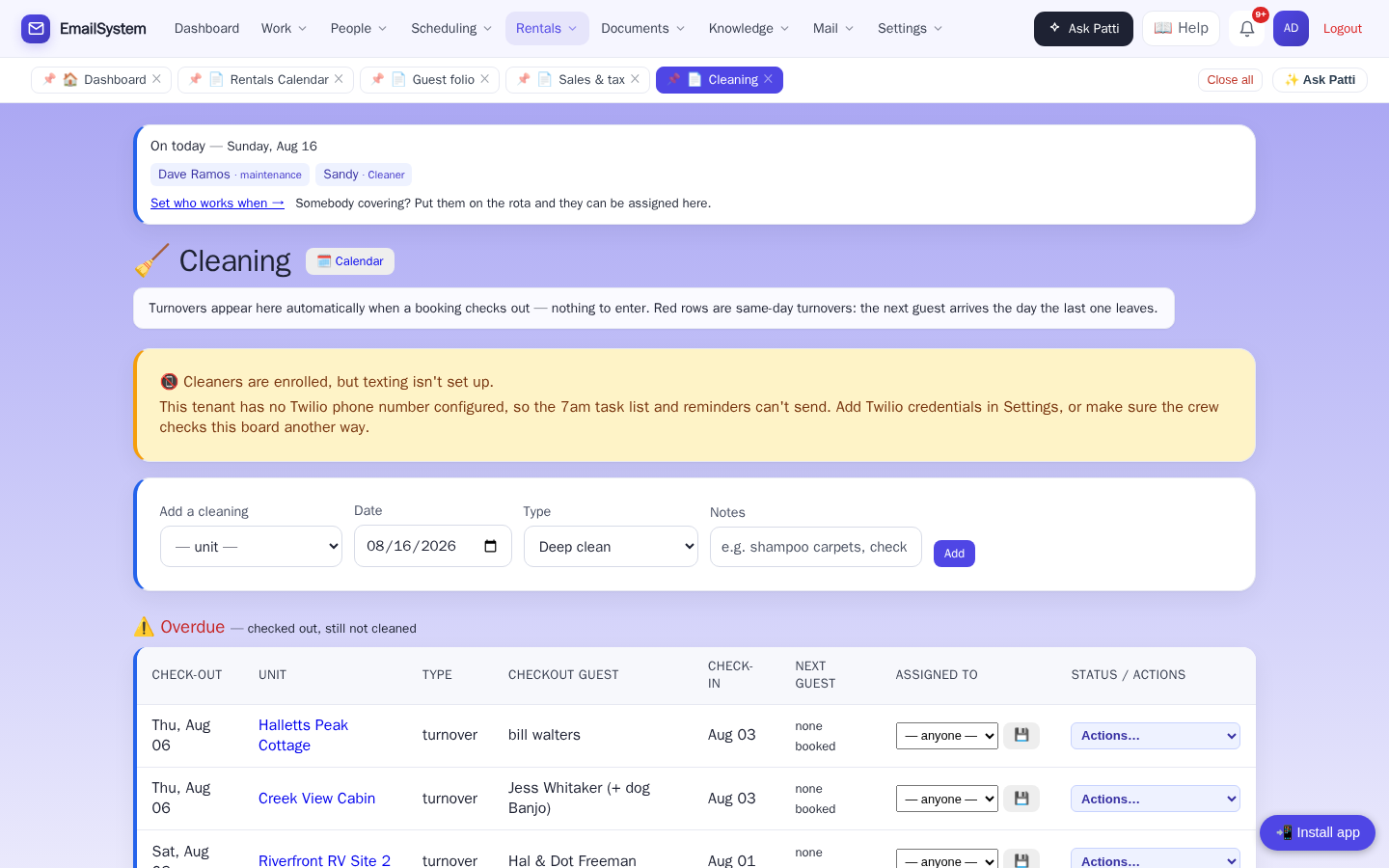
🧹 Housekeeping that schedules itself — and watches itself
When a guest checks out, a turnover appears — automatically. Same-day turnovers are flagged red so nothing gets tight without you knowing. And your cleaners? They get their list by text message. No app. No login. No training.
The board also raises its own hand. A guest arriving into a unit that hasn’t been cleaned. A cleaning that was started but never marked done. Texting switched on but nobody enrolled to receive it. Each one shows up as a warning at the top of the board — before it becomes a guest standing in a dirty cabin.
- Turnovers generated from checkouts, assigned to your staff
- Same-day turnovers flagged red; overdue turnovers listed first
- Cleaners confirm by text when the unit’s ready
- Warnings for arrivals into dirty units, half-finished cleanings, and texting that isn’t set up
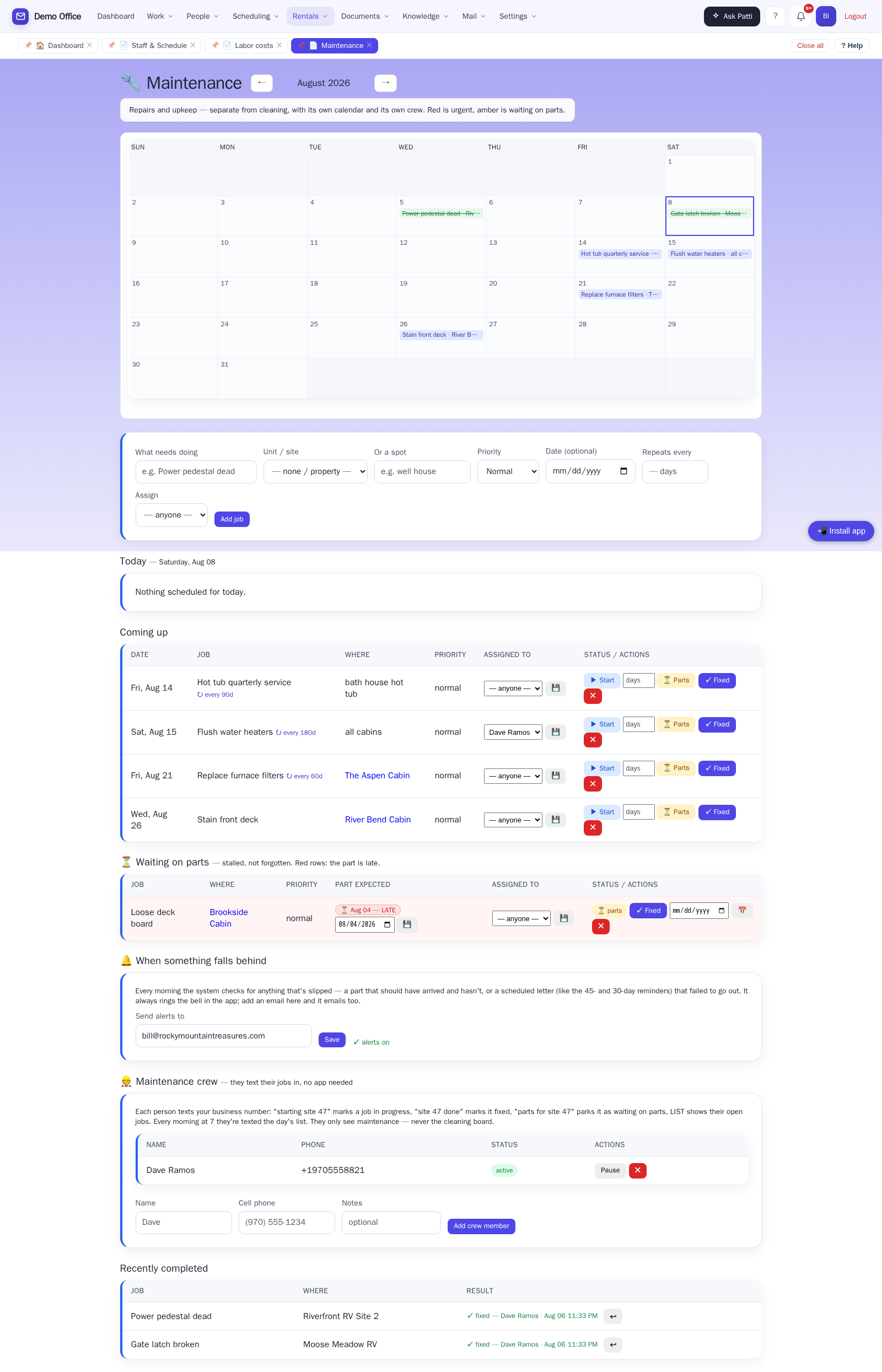
🔧 A second crew, a second calendar
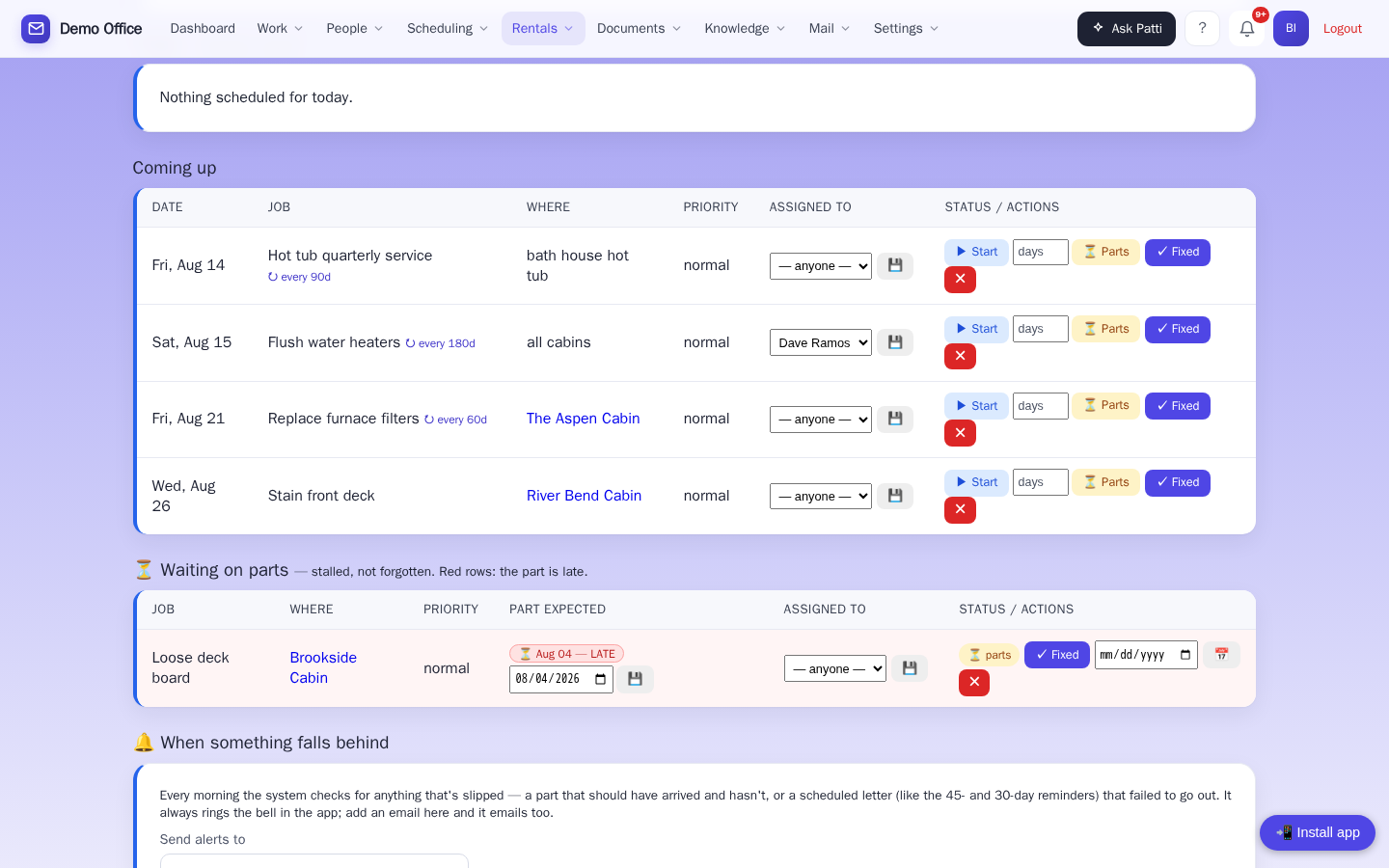
Cleaning and maintenance are different people — so Patti gives each crew its own board, and neither one ever sees the other’s work. Every repair, on a calendar of its own: urgent in red, waiting-on-parts in amber, and undated jobs held in a backlog so nothing is forgotten just because it isn’t scheduled yet.
📱 Your handyman doesn’t want an app
He wants a text that says what’s broken and where. Patti sends it every morning at 7 — the day’s jobs, straight to his phone. He texts back “starting site 47”, “site 47 done”, or “parts for site 47”, and the board updates in the office. Same no-app, no-login, no-training story as your cleaners — on purpose.
- Add a maintenance person with just a name and cell number
- Recurring upkeep — septic pump-out, furnace filters, hot tub service — set “repeats every 90 days” once, and the next job appears by itself when this one’s marked done
- A cleaner’s phone can only ever touch the cleaning board; a maintenance phone only maintenance. Hand each crew their page with confidence.
Crew texting uses the same texting add-on as cleaner texts.
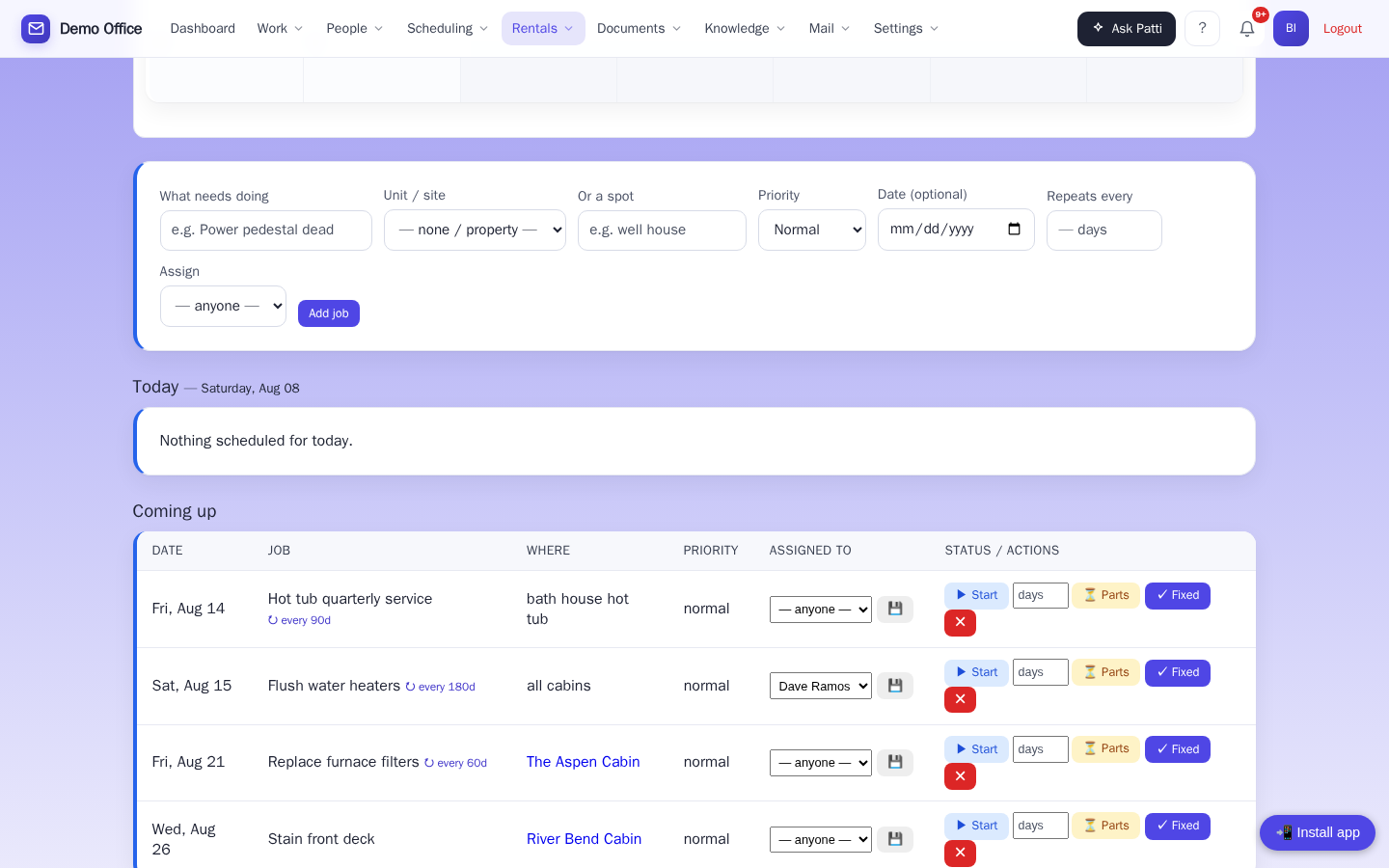
🧮 The crew’s texts are a timeclock
What does cleaning cabin five actually cost you? Patti knows — because your cleaner texted her when she started. “Starting cabin 5” punches in; “cabin 5 done” punches out. Nobody fills in a timesheet — the texts your crew already sends are the timekeeping. Hours × each person’s pay rate, and you finally see what turning over Brookside actually costs, per cabin and per person, cleaning and maintenance side by side.
- Cost per cabin and per person, over any date range
- A job finished without a “starting” text counts as a job but not hours — the page flags it instead of guessing
- Pay rates are admin-eyes-only; the crew never sees them
Uses the texting add-on. Pay rates and shifts live on the staff schedule — the same one your booking page and cleaning board read from.
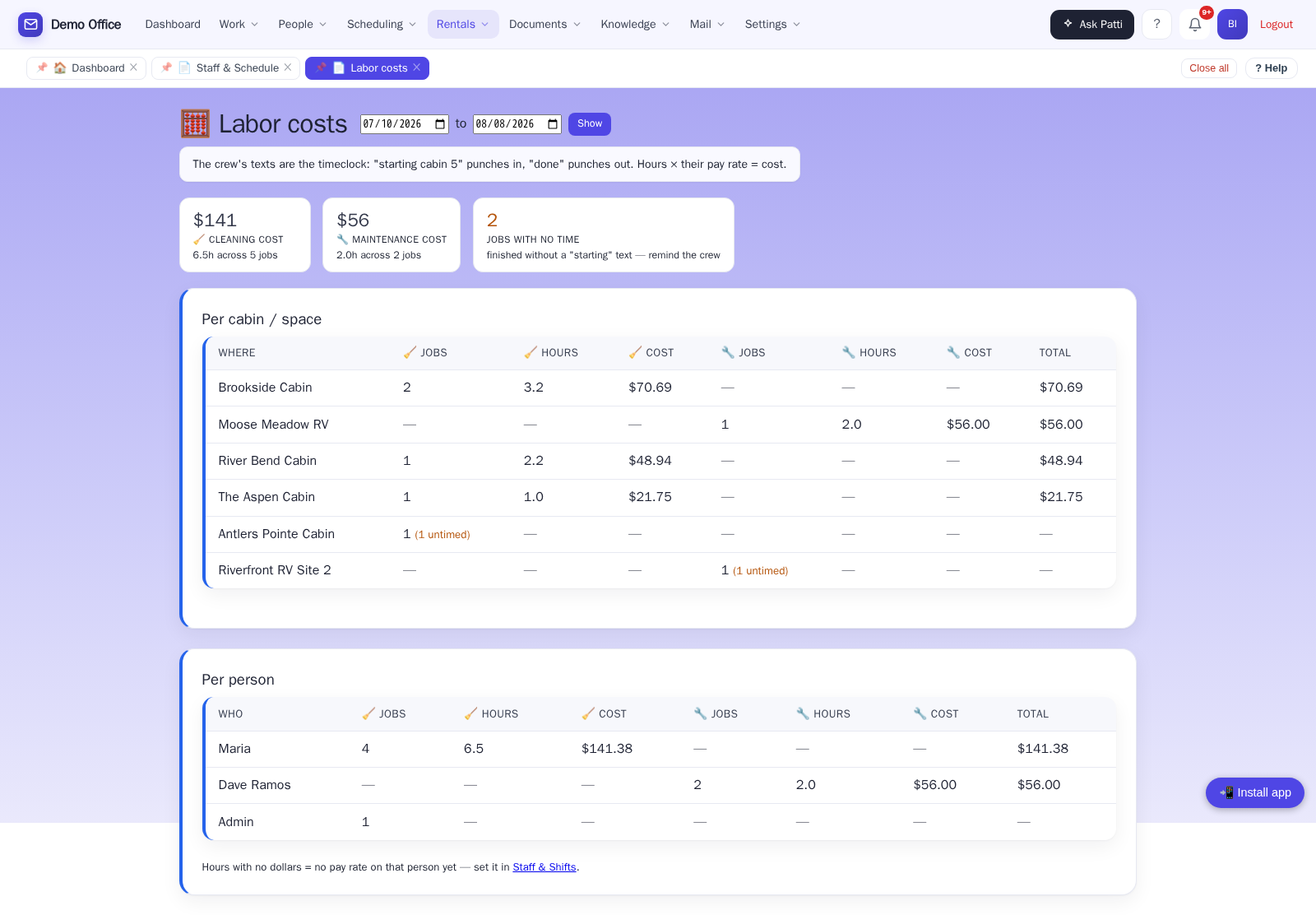
✉️ The mail nobody writes in to ask for
The 45-day reminder before arrival. The 30-day letter. The thank-you after checkout — a different one for returning guests, because Patti recognizes them. You write each letter once, set the schedule, and from then on they go out by themselves. Until now, somebody kept a diary and did this by hand.
- Each booking gets each letter exactly once — a guest is never thanked twice
- A letter with a blank Patti can’t fill simply doesn’t send — nothing goes out reading “arriving on [arrival]”
- Switching it on doesn’t blast the history — old stays are quietly skipped
- “Going out next” and “already sent” on one page, so nothing is taken on trust
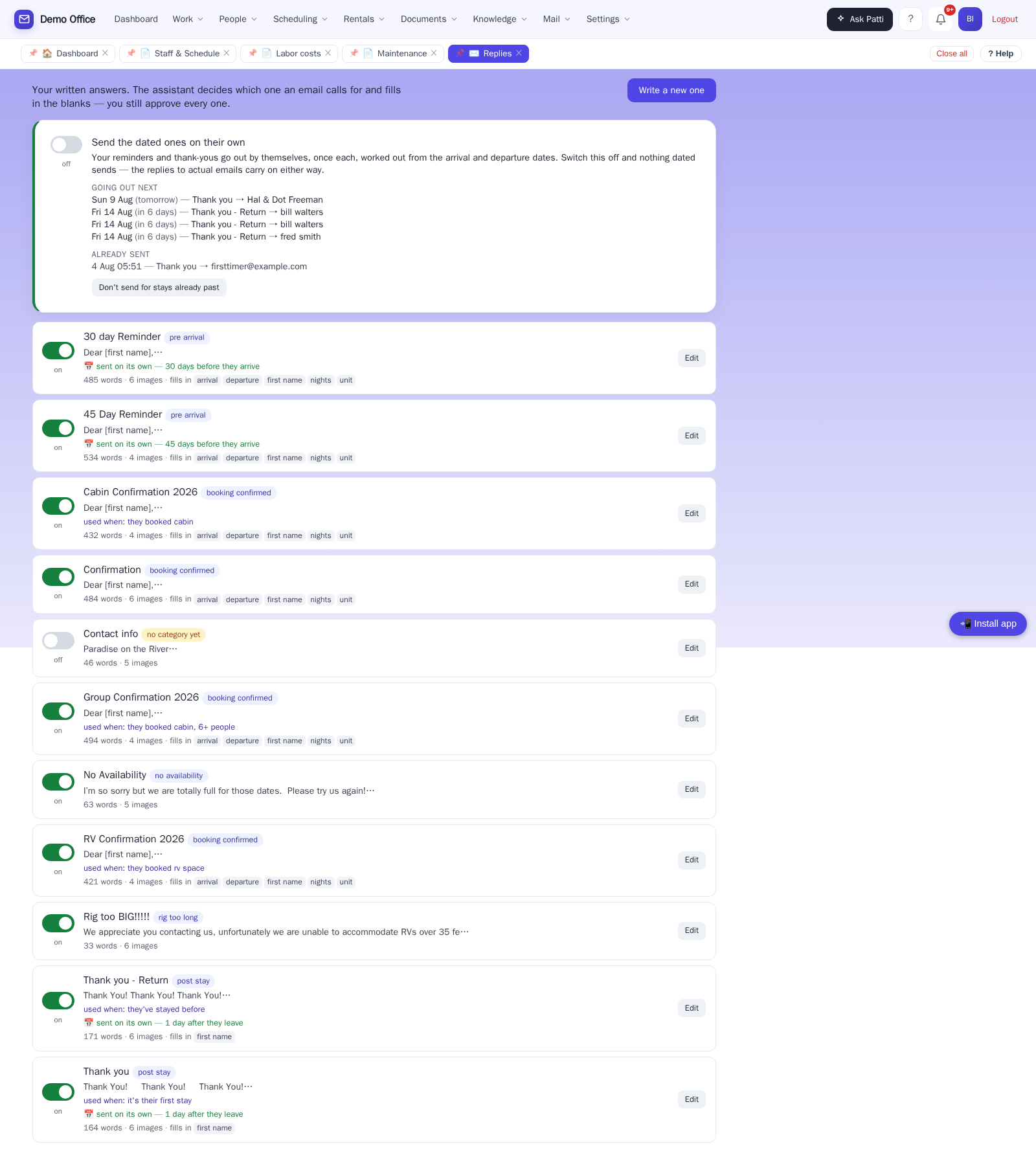
🔔 Patti notices when something slips
Anyone can promise to do the work. Patti tells you when the work is late — before the guest finds out. When a repair is waiting on a part, the expected date is on the job (your handyman can set it by text: “parts for site 47, 7 days”). If it comes and goes, Patti raises it — a bell in the app and an email to the address you set in one “Send alerts to” box, and the job turns red on the board. A letter that fails to send gets reported the same way.
- Each slip is reported once — not nagged about daily
- One place to set the alert address, for everything
- Nothing fails silently
The check runs each morning, not minute-by-minute.
🖨️ The morning report, ready to hand out
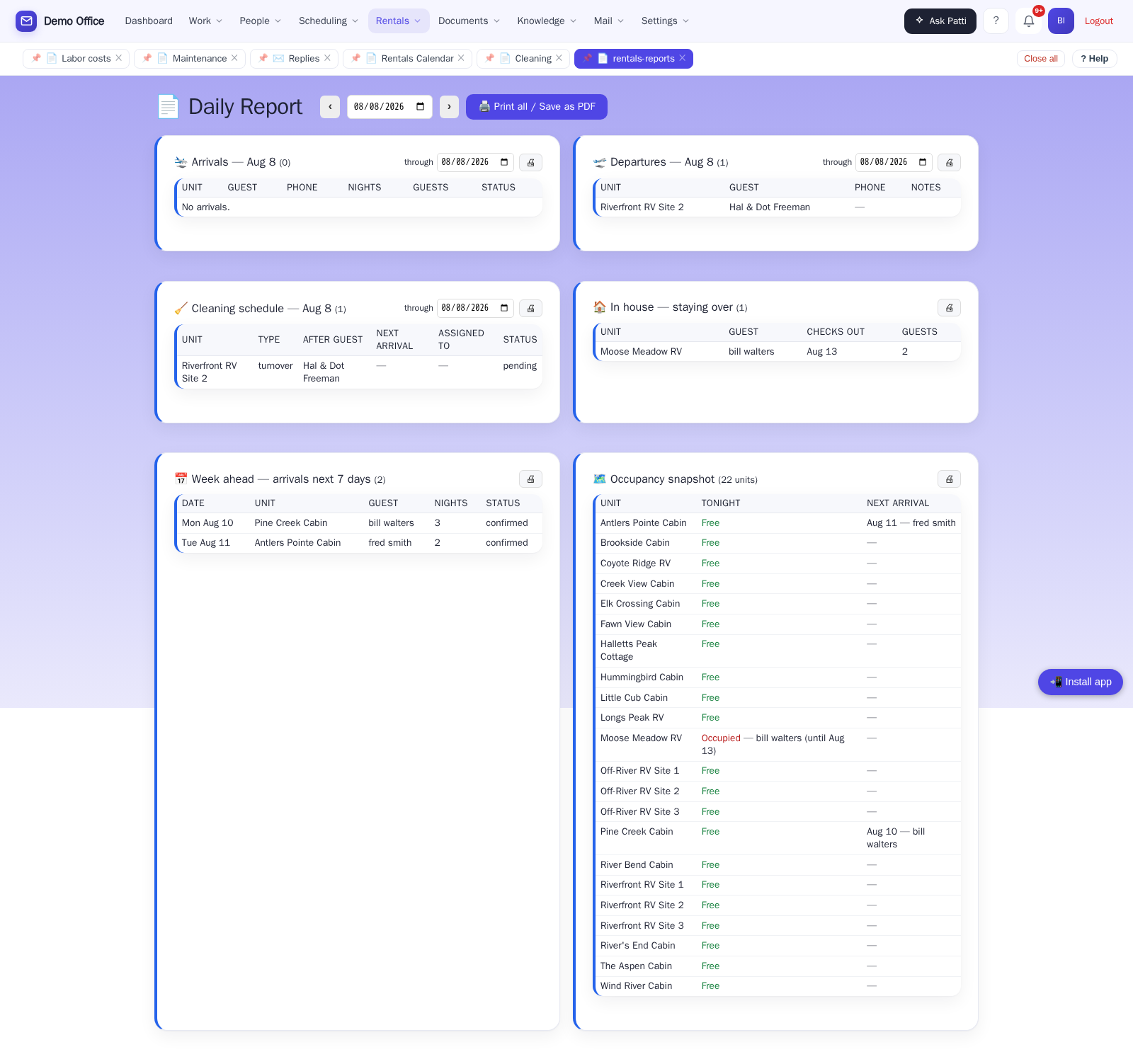
Arrivals, departures, cleaning, in-house guests, the week ahead, and occupancy — each box printable on its own, for any date range. Print just the cleaning section and hand it to the supervisor. Find it on the menu under Reservations → Daily report.
☕ Stop going looking for it.
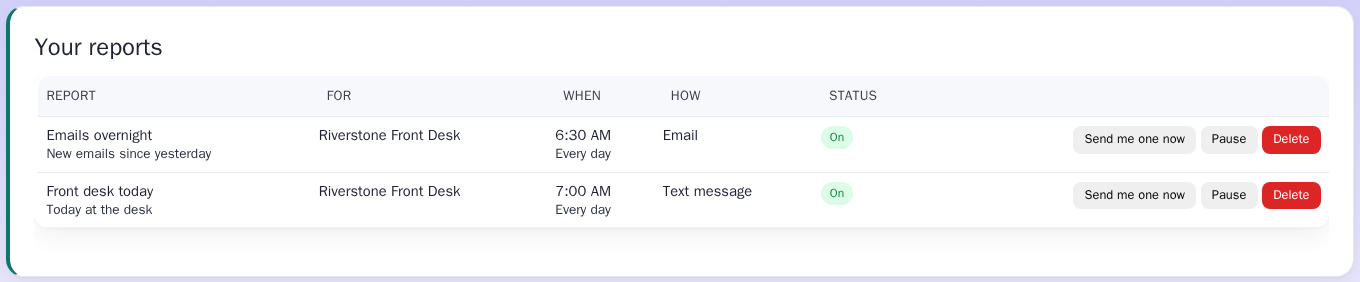
Patti sends you what you need to know, when you want it. Every morning at 7: who's arriving, who's leaving, and what still needs cleaning, by text, email or Telegram.
“7:00 AM: 3 arriving, 2 leaving, 9 staying tonight. Cleaning still to do: Creek View Cabin (Maria).”
- Pick it with a few taps: what you want to know, what time, text or email
- Write your own question and Patti answers it every morning
- Nothing to report? Then she doesn't bother you
- Out on the property? Text Patti “how's the cleaning going?” and she texts you back
Reports and questions by text use the same texting add-on as cleaner texts. Email and Telegram need nothing extra.
🐕 “We’d love to have you and Scout back.”
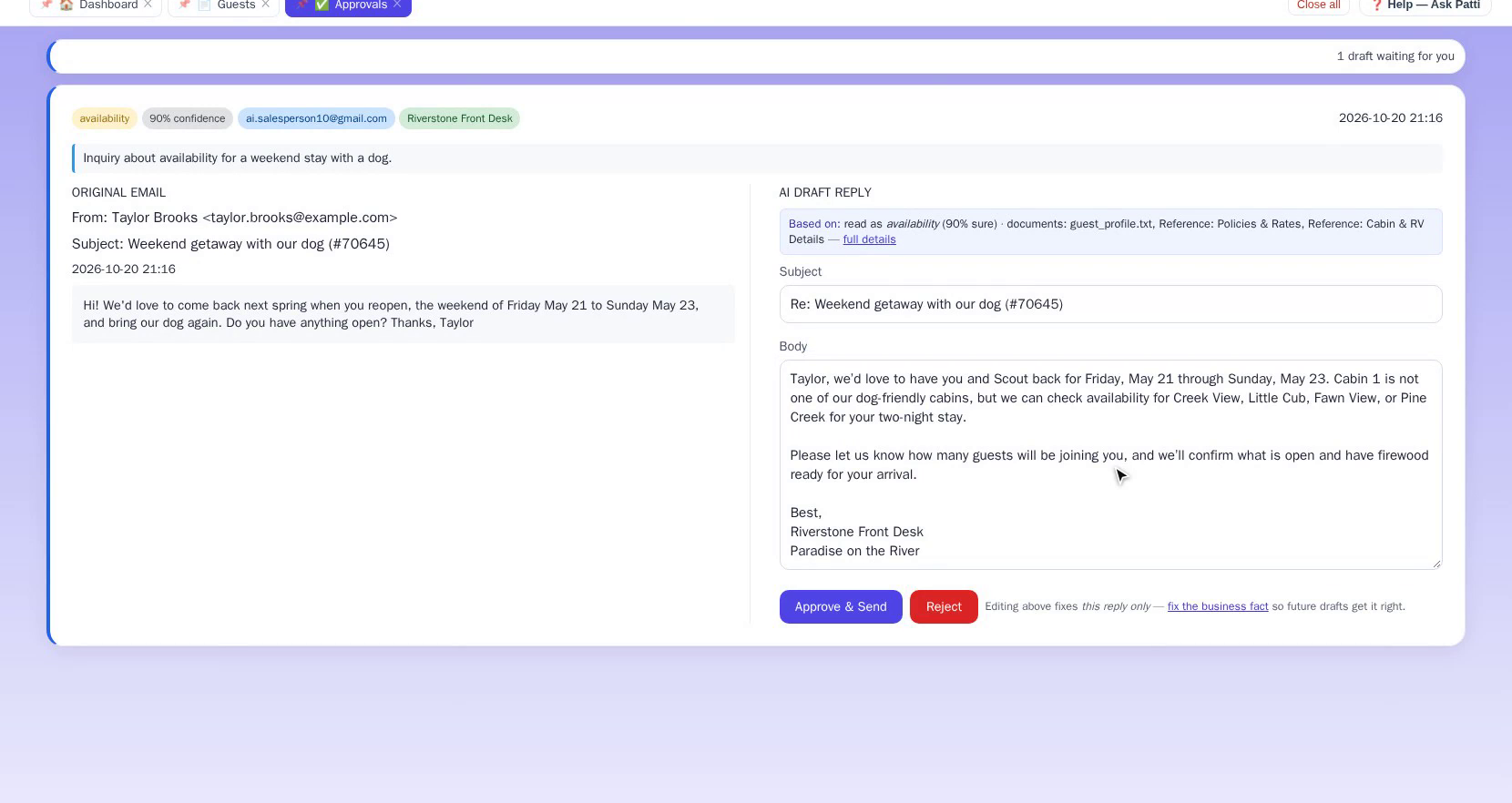
A guest wrote in asking about a spring weekend with “our dog”. Patti’s draft welcomes them back, calls the dog by name, points them to the dog-friendly cabins, and offers to have firewood ready. None of that was in the email. It came from the guest’s profile.
- Every guest lands in your guest book automatically, even the ones who just called
- You still read and approve the reply before it goes
Check-in and check-out, one page each
A walk-in books and checks in without leaving the page; a departure settles up, records the key back, and puts the turnover on the cleaning list by itself.
A till for walk-ins
Sell firewood or ice to someone with no reservation — cash or card, a letterhead receipt, and it lands on the same drawer as everything else.
Nobody drives away owing you money
An unpaid list, biggest balance first, with who's on the property right now.
One calendar, no double-bookings
Reservations made on the major booking sites — Airbnb, Vrbo, Booking.com — land on the same calendar automatically and can’t be double-booked. Setup is pasting one link from each site. Nothing technical.
Answers with real availability
A guest asks “is the cabin open the week of the 10th?” — on your website chat or by email — and gets a real answer, including which nights are open.
Website booking, office-confirmed
Guests request dates on your website; your office confirms the hold. Professional emails go out at every step.
Front-desk money, in one place
A running tab per stay, receipts and statements on your letterhead, and a sales & tax report with a CSV for the accountant. The tab and the receipt book — your accounting software stays your ledger.
Fees done right
Extra-guest fees, pet fees, custom fees — resort fee, hot tub fee — each business turns on only what it charges. Pet count and breed are captured right at booking.
Your units, your way
Set up each cabin, site, or property with photos, pricing, and minimum nights.
Guests who come back
Patti remembers returning guests — their stays, their dog’s name — so your welcome feels personal.
Never miss a booking
The inquiry that lands at 11pm on a Saturday still gets caught — if a drafted reply sits unapproved too long, Patti nudges the team, and VIP guests always reach you, even during quiet hours.
Proof it’s working, every Monday
On Professional, a weekly report shows your reply time, the hours saved, and how little you’re editing her drafts — the “was this worth it?” question, answered with numbers.
Priced by mailbox, not by person
The owner, the desk, and the whole office can all approve from one monitored mailbox, free. Cabins and RV sites price in ranges — one more cabin inside a range costs nothing — see pricing.
💳 Ready for online payments — deposits included
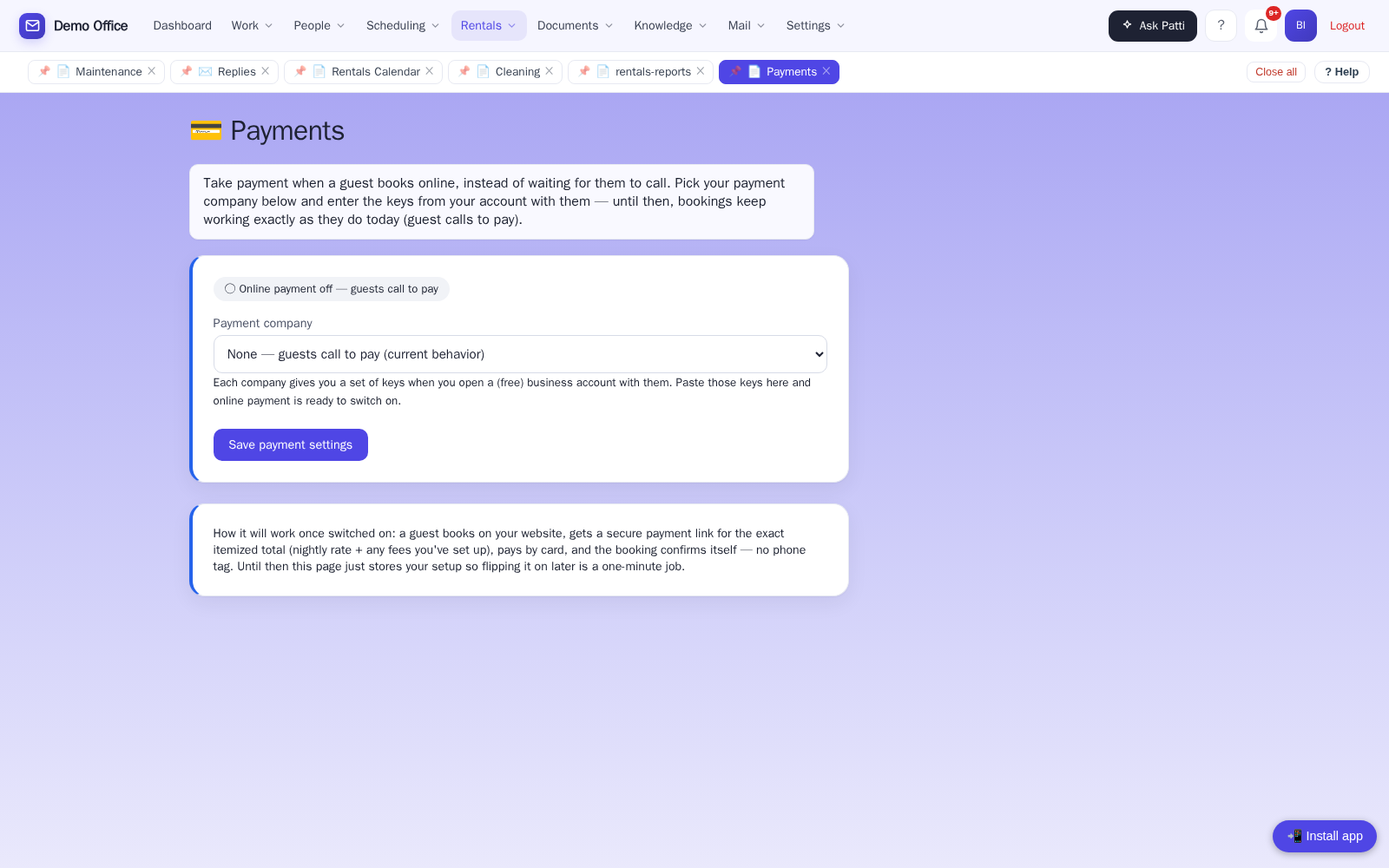
When you’re ready to take cards online, pick PayPal, Stripe, or Square and enter your keys — online payments are available, and we do the switch-on with you. And once your own Stripe account is connected, Patti can take an optional online deposit to secure a booking: the guest books, pays the deposit, and the dates are held. It’s there when you want it — off until you switch it on.
Here’s how a booking actually happens.
- 11:04pm — A guest asks about a lakeside cabin for Labor Day weekend. Patti drafts a reply with the nights that are open and your rates.
- 7:30am — You approve the reply from your phone over coffee. It sends from your address.
- 9:15am — The guest books on your website. The office confirms the hold; the guest gets a professional confirmation email.
- Tuesday — The guest buys two bags of ice at the desk. Two clicks, and it’s on their tab.
- Checkout day — Their card is recorded on the folio, the receipt prints on your letterhead reading “Paid in full,” and a turnover appears on the cleaning schedule. Your cleaner gets a text; when the cabin’s ready, they text back. Done.
Your front desk never sleeps. You still get to.
See the occupancy calendar, the walk-in finder, a guest’s folio and receipt, the cleaning and maintenance texts, and a real guest email answered — in a live demo built around a working resort setup.